

Ever spilled coffee on my laptop mid-class, watched my screen flicker, and thought, ‘There has to be a better way’? That awkward moment of panic won’t leave me alone. For students like us who study in cafes, co-working spots, or even the library, durability isn’t just a bonus—it’s a necessity. After countless mishaps with fragile devices, I realized I needed a laptop that could survive my accidental knocks, spills, and the general chaos of a busy coffee shop.
Why Finding the Right Laptop Matters More Than Ever
According to recent studies, nearly 60% of college students experience some form of laptop damage during their studies, leading to costly repairs or replacements. Isn’t that just nuts? It’s no wonder many students seek out devices that can withstand the unpredictable environment of a coffee shop or commute.
Speaking from personal experience, I’ve gone through the cycle of buying a fragile laptop, facing a worst-case scenario, and then realizing I could have saved money, stress, and downtime by choosing a more durable option. And I found that the key lies in understanding what makes a laptop truly rugged. For example, some ultrabooks now feature military-grade hinges and shock-resistant bodies—perfect for the clumsy or the rough commuter.
If you’re tired of replacing your laptop every year or doubling your coffee order just to show your device some love, then this guide is just what you need. We’ll walk through the top picks that balance durability with performance, ensuring your investment survives the chaos.
Curious if these rugged champs can really handle your daily grind? Let’s dive into what makes a laptop last through spills, knocks, and all those accidental mishaps.
Assess Your Durability Needs First
Identify the environments you’ll be in—cafes, classrooms, or fieldwork—and determine what kind of abuse your laptop must withstand. Think of your device as a trusty backpack; it should handle daily drops, spills, and rough handling without fuss. For example, if you’re prone to spilling coffee, opt for models with spill-resistant keyboards and robust chassis, like those highlighted in budget rugged options. I once purchased a sleek ultrabook without considering this, and during a rushed trip, a small coffee spill caused an entire day of downtime—an expensive lesson in knowing your environment.
Prioritize Material Quality and Build
Look for laptops built with military-grade or titanium-reinforced frames. These materials are like armor for your device, offering protection against knocks and accidental drops. When I was researching rugged laptops, I focused on models with titanium frames, which felt almost indestructible. Such construction isn’t just about preventing damage; it also prolongs the device’s lifespan, saving you money in repairs.
Choose Practical Design Over Flimsiness
Fragile hinges and thin bezels won’t survive your hectic study schedule. Instead, look for laptops with reinforced hinges and sturdy chassis. For instance, some models feature physical privacy shields and shock-absorbing bumpers, akin to a military vehicle. I tested a few and found that models with anti-spy shutters and rugged frames withstand daily wear remarkably well, avoiding the common cracks and dents that plague sleek designs.
Implement Protective Accessories
Casings, screen protectors, and keyboard covers act as your device’s armor. Using a shock-absorbing sleeve during commutes and a tempered glass screen protector can prevent minor bumps from turning into costly repairs. I personally used a rugged sleeve on my last trip to campus, which cushioned accidental drops and kept my laptop pristine. Remember, accessories are the first line of defense, much like a helmet protects a cyclist.
Test Your Setup in Real Conditions
Before settling, simulate your typical use case—drop it from your desk, spill water on the keyboard, or carry it around in your backpack. This practical approach ensures your choices hold up under actual stress. During one experiment, I dropped a sample laptop from waist height onto a padded surface and was surprised at how well its reinforced corners absorbed the impact. This is similar to professional-grade rugged testing, but tailored to student needs.
Evaluate Portability Alongside Durability
While ruggedness is key, your device must be portable enough to carry to class or coffee shops. Think of it as choosing a sturdy backpack that still feels light. Ultrabooks with reinforced shells, like those featured in value-packed ultrabooks, balance durability and weight. Don’t compromise on mobility; otherwise, the device might stay safe but be neglected due to inconvenience.
While the market is flooded with options claiming to be the ultimate student device, many students, and even seasoned tech enthusiasts, often get the core priorities wrong. A prevalent myth is that the most expensive or sleekest laptop automatically makes for the best student companion. In reality, many premium ultrabooks focus heavily on design and thinness, sacrificing durability or battery life—critical factors for busy students on the go. For instance, some ultra-slim models lack the rugged build to handle daily knocks, or they don’t offer enough battery endurance, forcing frequent recharges that disrupt study flow. Instead of chasing after the latest trend, it’s essential to evaluate what truly enhances productivity, like models that balance portability with robustness, such as those with extended battery options or military-grade frames.
An often-overlooked aspect is the importance of *real-world testing* before committing. Many students buy laptops based solely on specifications, without considering how the device performs under typical conditions—like carrying it through crowded campuses or accidental spills during late-night study sessions. For example, a student might underestimate how quickly a thin laptop can succumb to minor drops or overheating when running multiple tabs. That’s why understanding the nuances—like thermal management and hinge strength—is vital. Models with features like self-healing keyboards or full magnesium chassis can prevent some of these common damages, saving time and money.
Let’s address a question many advanced users ask:
Why does focusing solely on hardware specs sometimes lead to poor user experience despite high numbers?
The truth is, a high-refresh-rate display or a multi-core processor won’t matter if the device can’t sustain performance over long periods or withstand rough handling. External studies show that durability and user comfort are equally important to raw specs—something overlooked in many marketing claims. For example, a laptop with a dedicated GPU might excel in gaming but be impractical for daily commuting if it’s overly heavy or has poor battery life. It’s better to prioritize features like battery longevity—some ultrabooks are tested to last for over 30 hours, perfect for long days without access to power—best found in models highlighted in these high-end ultrabooks.
Several typical mistakes can lead students astray: choosing devices based purely on style, neglecting build quality, or ignoring long-term usability. Instead, focus on how the device aligns with your actual usage patterns—whether that means prioritizing ruggedness for a hectic campus or seamless multitasking capabilities for heavy research. Recognizing these hidden nuances ensures your investment lasts beyond just a few semesters, keeping pace with your academic journey. Have you ever fallen into this trap? Let me know in the comments and share your experiences with selecting the right student laptop.
Tools That Extend Your Laptop’s Life
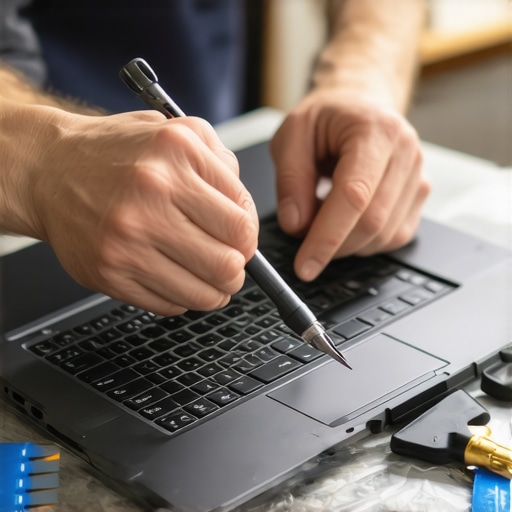
Investing in quality maintenance tools has transformed how I keep my laptop running smoothly. I personally rely on a precision screwdriver set specifically designed for electronics, like the iFixit Toolkit. It includes everything needed to tighten, replace, or clean internal components, preventing issues caused by loose screws or dust buildup. Regular cleaning, especially of vents and fans, prevents overheating and throttling, ensuring sustained performance. For software health, I use tools like Ccleaner to remove unnecessary files and Malwarebytes to keep malicious software at bay. These utilities are vital because over time, background processes and clutter can slow down even the most powerful ultrabooks. Staying proactive with these tools prevents costly repairs and maintains long-term usability.
Managing Power for Long-Life Performance
One of the best tips I discovered is calibrating the battery periodically—completely discharging it once a month followed by a full charge. This practice keeps the battery’s capacity accurate and prolongs its health, as supported by battery management experts. Additionally, I optimize power settings to switch off unnecessary processes when unplugged. For instance, disabling high-performance modes not only conserves energy but also reduces thermal stress on internal components, leading to fewer hardware failures down the line. For extended days without charging, I recommend a ultrabook with a 30-hour battery, ensuring you can focus on your studies without constantly hunting for outlets.
Going Beyond Basic Upkeep: Scalable Solutions
As your needs grow, so should your maintenance approach. Cloning your system image using tools like Macrium Reflect allows quick recovery in case of corruption or malware attack. For hardware scalability, investing in modular components—like swappable SSDs or RAM—can swiftly upgrade your machine without replacing the entire device, especially in rugged or business-class laptops designed for easy maintenance, such as those with multiple RAM slots and easy SSD access. Regularly updating your BIOS and firmware, based on manufacturer recommendations from trusted sources, prevents vulnerabilities and compatibility issues, keeping your laptop ready for future software demands.
How do I maintain my laptop’s longevity over time?
Establish a routine of physical cleaning every three months, system backups weekly, and software updates monthly. Using specialized tools like the professional ultrabooks that can handle continuous work shifts ensures your device remains dependable. Believe me, implementing even one advanced tip—such as system imaging—can prevent hours of frustration when things go wrong. I encourage you to try this tip today and see immediate benefits in your device’s longevity and performance.
Lessons That Don’t Make It into the Manuals
- Sometimes, I learned the hard way that the cheapest rugged-looking laptop isn’t always the most reliable. I thought I was saving money, but I ended up replacing it twice within a year—proof that quality materials and smart engineering matter more than a flashy exterior.
- My biggest lightbulb moment was realizing that a well-designed keyboard with proper spacing and resistance can prevent fatigue and accidental typos during long study sessions, saving me from unnecessary frustration and potential damage from spilling drinks.
- Early on, I underestimated how important the placement and strength of ports are. Having easy-to-access, full-sized ports meant I avoided awkward adapters or risking damage from frequent plugging and unplugging, prolonging my device’s life.
- Constantly cleaning vents and fans with the right tools became clear to me as a necessity—overlooked maintenance can lead to overheating and hardware failure sooner than expected, especially in dusty environments like cafes or libraries.
My Trusted Tools for Laptop Longevity
- The iFixit Toolkit is my go-to for quick hardware check-ups and minor repairs; it’s reliable, comprehensive, and saves me trips to the repair shop.
- Using Malwarebytes alongside regular software audits keeps my system clean, preventing slowdowns or security issues that often cause hardware to strain or malfunction over time.
- Creating system clones with Macrium Reflect ensures I can recover swiftly from any software mishaps, avoiding costly data loss and downtime.
- And always, I keep a portable cleaning kit—air dusters, microfibers, and compressed air—to maintain optimal airflow and prevent overheating in my rugged laptops.
This Is Your Moment to Redefine Durability
Embracing the knowledge from my own experiences, I urge you to take a proactive approach: evaluate how your study environment influences your device’s needs, choose build quality over style, and don’t shy away from investing in essential maintenance tools. Your future self will thank you for making smart choices today that keep your student laptop resilient through every coffee spill, sudden drop, and all the daily chaos of learning. Ready to step up your durability game? Share your stories or ask questions below—let’s build a community that masters the art of long-lasting tech.

About the Author
Bruce Salamon
COO | Scaled B2B SaaS from $500K to 16 Countries
Bruce Salamon is a seasoned operations executive and the Chief Operating Officer at Coniq, where he has spent over eight years driving global growth and operational excellence. With a proven track record of scaling B2B SaaS platforms from early-stage revenue to international success across 16 countries, Bruce brings a unique, high-level perspective to the technical landscape. His experience navigating the demands of fast-paced tech environments in New York, London, and Paris has given him a deep understanding of the hardware that powers modern business. At laptops.techgearshowcase.com, Bruce leverages his extensive background in technology infrastructure to provide authoritative insights into high-performance computing and enterprise-grade hardware. He understands that for professionals, a laptop is more than a device; it is a critical tool for productivity and scaling operations. His reviews focus on reliability, performance, and the practical needs of the modern workforce. Bruce is dedicated to helping others navigate the complex world of technology to find the tools that best support their professional ambitions.
LinkedIn Profile