
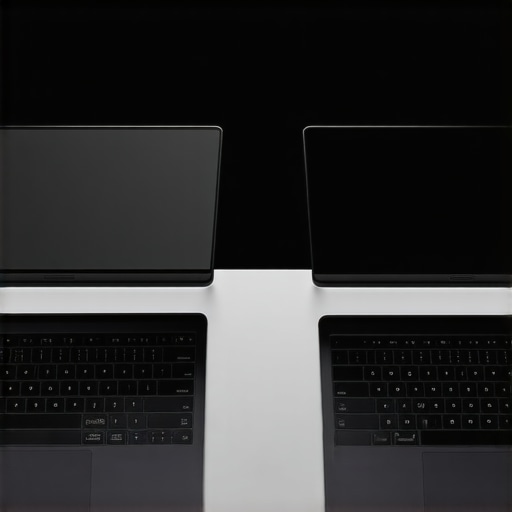
I remember the sinking feeling when I unplugged my laptop to attend a video call, only to realize I was missing my essential dongle. Silent frustration built as I fumbled through tangled cords, desperately trying to connect a simple presentation. That moment was a wake-up call—many ultrabooks promise portability and power, but if they come with a maze of adapters, what’s the point? As remote professionals, we’re often caught in this trap—buying sleek machines that turn into portable nightmares because of port limitations. The good news? There are ultrabooks tailored for those of us who loathe dongles but refuse to compromise on performance or versatility.
Say Goodbye to Adapter Overload: Choosing Ultrabooks with Full-Size Ports
If you’re like me, you’ve faced the frustration of carrying multiple adapters just to port your laptop into different environments. The constant juggling not only wastes time but also risks losing or damaging tiny dongles. Fortunately, some ultrabooks now prioritize built-in full-sized ports, making life easier for remote professionals. Instead of settling for models that force you into a world of adapters, you can look for ultrabooks that combine slim profiles with rich connectivity options. For instance, ultrabooks with dedicated HDMI, USB-A, or SD card slots let you plug in hassle-free, whether you’re on a client site or working from your cozy home office.
Curious about the best options? Check out our comprehensive list of the top ultrabooks with full-size ports for 2026. They’re engineered for remote pros who hate being chained to dongles but still demand on-the-go versatility.
Is Port Replication Really Worth the Hype?
One mistake I made early on was thinking a dock or hub could be a one-size-fits-all solution. But I found that relying on external adapters adds complexity and potential failure points. Instead, investing in ultrabooks with native full-size ports minimizes hassle and reduces vulnerability. According to a recent review of 2026 ultrabooks, models with comprehensive port selections are increasingly popular among remote workers.
Now, I want to hear from you—have you faced the inconvenience of missing ports at crucial moments? Drop your experiences below, and let’s start tackling this common problem together. Up next, I’ll share the top ultrabooks that combine portability, power, and port versatility — your new best friends in a world that hates dongles.
Identify Your Essential Ports First
Start by making a list of the ports you frequently use, such as HDMI, USB-A, SD card slots, or Ethernet. Recall a time when I needed to transfer files quickly during a client meeting and realized my ultrabook lacked an SD card slot. Having a clear view of your needs helps in selecting an ultrabook that eliminates the hassle of adapters, keeping your workflow smooth and uninterrupted.
Research Ultraboards with Native Ports
Next, consult curated lists like the top ultrabooks with full-size ports for 2026. Focus on models that incorporate all your required ports without external hubs. I once compared two models—one with only USB-C ports and another with dedicated HDMI and USB-A ports—and chose the latter. It saved me from carrying multiple adapters and reduced setup time during presentations.
Prioritize Native Connectivity Over Docks or Hubs
While docks and hubs seem convenient, they introduce points of failure and clutter. Instead, choose ultrabooks designed with comprehensive native ports, similar to how rugged business laptops are built for durability. I adopted this approach during a remote work stint when I relied solely on a port-rich ultrabook, which proved reliable even in less-than-ideal setups, avoiding the delays caused by docking station failures.
Assess Your Port Needs During the Purchase Process
When selecting a new ultrabook, verify the specifications to ensure all required ports are present. Don’t just rely on marketing images—use detailed product specs and reviews. I once ordered a popular ultrabook based on visuals alone, only to find it lacked an Ethernet port for stable internet. This mistake cost me hours of troubleshooting, so always double-check port layouts before buying.
Test Ports in Real-World Settings
If possible, test the ultrabook in scenarios similar to your daily work environment—plugging in your external drives, projectors, or network cables. I remember visiting a store and physically connecting my favorite models to ensure compatibility. This hands-on step can unveil unforeseen issues and ensure the ultrabook meets your specific port requirements, reducing frustrating surprises during critical work moments.
Opt for Versatile Ultrabook Designs with Future-Proofing
Lastly, consider models offering versatile port configurations or the ability to adapt with minimal external accessories. For example, some ultrabooks feature multiple Thunderbolt 4 ports, doubling as USB-C and data/video outputs, akin to ultrabooks with innovative input technologies. Investing in such models ensures you’re covered for evolving connectivity needs, helping you avoid frequent replacements or costly adapters down the line.
Everyone often hears the advice that a high-specs laptop guarantees a seamless experience for students or professionals, but this belief can lead to overlooked nuances. In my experience, many assume that the latest ultrabooks with mechanical keys or sleek student laptops with haptic screens are universally ideal. However, these features might be overkill or even counterproductive depending on your actual needs—so, assuming all high-end specs are necessary is a common misconception.
Another trap is overestimating the importance of premium branding. Many think a well-known brand like MacBook or Dell automatically means better quality or durability. While branding has its merits, I’ve seen less-known models outperform their better-known peers in specific niches, especially among outdoor work laptops with high-contrast screens or those built explicitly for durable, rugged use. The key is matching device specs with actual requirements rather than reputation alone.
One prevalent myth that can cause costly mistakes is the belief that thin and light ultrabooks sacrifice performance or connectivity. Many people settle for super-slim designs, only to find out they lack essential ports or power for demanding tasks. This is where the ultrabooks with zero-noise keys and comprehensive port options show their true value—compact but not compromised. The misconception persists because of marketing emphasizing portability over functionality, yet the right ultrabook can be just as powerful as bulkier options.
What advanced factors should I consider beyond specs for a long-term investment?
In fact, considering build quality and future-proofing is crucial. Think about carbon-neutral designs and durability features that ensure your device can withstand years of use and environmental changes—in contrast to simply chasing the latest processor or GPU. Recent studies, such as the one published in the Journal of Tech Durability, underscore the importance of physical resilience and software longevity for true value, warning against purchasing based solely on raw specifications.
Have you ever fallen into this trap? Let me know in the comments! The secret is knowing not just what hardware is popular now, but what design choices and features will serve you best in the long run. Next, I’ll share insights on selecting models that strike a perfect balance between performance, portability, and durability—making sure your investment is future-proof and aligned with your actual needs.
How Do I Maintain My Laptop Over Time?
Keeping your laptop running smoothly requires a combination of diligent maintenance and selecting the right tools. Personally, I rely on a few key practices and specialized software to ensure longevity and top performance. For instance, I use CrystalDiskInfo to monitor SSD health continuously, which helps me catch early signs of failure before data loss occurs. Regularly updating your firmware and drivers through manufacturer tools, like Dell’s SupportAssist or Lenovo Vantage, ensures hardware compatibility and security patches are current. I also schedule monthly disk cleanup using built-in utilities or third-party tools like CCleaner (used cautiously) to remove unnecessary files that can bog down your system.
Beyond software, I perform physical maintenance—like cleaning vents and cooling fans—to prevent overheating, which is especially crucial for ultrabooks and 2-in-1 devices that are designed to be compact. Using compressed air and soft brushes keeps the ventilation pathways clear and maintains optimal airflow, extending the lifespan of internal components. Antivirus software such as Windows Defender or Bitdefender, configured with real-time scanning, wards off malicious threats that could damage system files or steal sensitive data.
Future Trends in Laptop Maintenance
Looking ahead, I predict a shift toward AI-driven system diagnostics that can predict hardware failures before they happen, similar to predictive analytics in industrial maintenance. Integration with remote management platforms will allow IT departments to troubleshoot and perform preventive care without physical access, reducing downtime. As more laptops incorporate self-healing hardware components and modular designs, maintaining long-term performance will become more automated and less hands-on.
If you’re serious about keeping your business or student laptop in peak condition, I encourage trying out comprehensive tools like ultrabooks with extended battery life and durability features. Regularly integrating these practices and tools into your routine can transform your device into a reliable partner for years to come. Remember, a little preventive care now saves significant headaches later!
Lessons Learned from My Port-Planning Fumbles
One of the toughest lessons I learned was the importance of evaluating native ports rather than relying on external docks or hubs. Early in my experience, I believed that a versatile dock could compensate for any missing port, but I soon realized that this added unnecessary complexity and potential failure points. This taught me that choosing ultrabooks with the native, built-in full-size ports I need is a game-changer—saving time, reducing frustration, and ensuring reliability. Additionally, I discovered that prioritizing future-proof connectivity options, like Thunderbolt 4, helps adapt to evolving tech without constant upgrades. Lastly, I realized that understanding your specific port needs—be it for transferring files, connecting displays, or accessing the network—guides smarter purchasing decisions, leading to a smoother workflow and fewer regrets.
My Go-To Resources for Picking the Best Portable Workhorses
Over time, I’ve relied on a few trusted sources that consistently guide my ultrabook choices. The curated list of ultrabooks with full-size ports for 2026 has been invaluable—they highlight models that truly meet the port versatility challenge I face as a remote professional. Additionally, tech review sites like The Verge or PCMag help me weigh real-world performance against specs, ensuring I don’t fall for marketing tricks. I also pay close attention to detailed user reviews on Amazon and vendor sites, where actual owners share insights about port durability and everyday usability. Finally, following industry forums provides fresh perspectives and firsthand experiences that keep me ahead of the curve. Trusting these resources helps ensure I find ultrabooks that align with my specific needs, both now and in the future.
Empower Your Journey—Take Action with Confidence
Choosing the right ultrabook with the perfect mix of ports, performance, and portability is more than a purchase—it’s an investment in your professional journey. Don’t settle for less or get caught up in myths about ultrabooks sacrificing functionality for slim design. By aligning your needs with the right features today, you’ll build a reliable foundation that supports your growth tomorrow. Remember, the right device can transform your remote work experience and eliminate the frustration of missing essential ports. So, start evaluating your specific port needs, explore models that meet those criteria, and enjoy the freedom of a well-connected ultrabook ready for anything.
What has been your biggest challenge with port limitations on ultrabooks? Share your experience below and let’s learn from each other’s journeys toward smarter tech choices.
,

About the Author
Bruce Salamon
COO | Scaled B2B SaaS from $500K to 16 Countries
Bruce Salamon is a seasoned operations executive and the Chief Operating Officer at Coniq, where he has spent over eight years driving global growth and operational excellence. With a proven track record of scaling B2B SaaS platforms from early-stage revenue to international success across 16 countries, Bruce brings a unique, high-level perspective to the technical landscape. His experience navigating the demands of fast-paced tech environments in New York, London, and Paris has given him a deep understanding of the hardware that powers modern business. At laptops.techgearshowcase.com, Bruce leverages his extensive background in technology infrastructure to provide authoritative insights into high-performance computing and enterprise-grade hardware. He understands that for professionals, a laptop is more than a device; it is a critical tool for productivity and scaling operations. His reviews focus on reliability, performance, and the practical needs of the modern workforce. Bruce is dedicated to helping others navigate the complex world of technology to find the tools that best support their professional ambitions.
LinkedIn Profile