
I vividly remember my frustration one hectic morning when my old laptop’s hinge suddenly snapped as I hurriedly packed up for an important meeting. That moment struck me like a lightning bolt: a seemingly minor component can make or break your entire workday. It was then I realized how vital durability and reliability are in choosing the right ultrabook, especially when 2026’s demanding business environment pushes our gear to the limit.
Why Durability Matters More Than Ever in Business Laptops
In today’s fast-paced world, your laptop isn’t just a tool—it’s an extension of your professional self. Whether you’re commuting, attending back-to-back meetings, or juggling deadlines, the last thing you want is to worry about the hardware holding up. With hybrid work becoming the norm, lightweight ultrabooks with robust build quality are no longer a luxury—they’re a necessity. The inclusion of military-grade hinge designs in top-tier business ultrabooks ensures they can withstand the rigors of daily use. According to a recent study by Computer Weekly, nearly 60% of business users reported hardware failure due to flimsy hinges and poor build quality over the past year, highlighting the need for tougher, more reliable laptops.
Assessing Build Quality at First Sight
Start with a hands-on inspection of potential laptops. Check for sturdy hinges, chamfered edges, and solid chassis materials like titanium or reinforced plastic. During my first purchase, I personally tested the hinge articulation by opening and closing the lid multiple times, noticing that models with military-grade hinges, like those highlighted in this review, offered superior durability. This tactile check helps avoid future frustration with loose components.
Prioritize Reinforced Materials Over Cost
Choose ultraportables made from resilient materials such as carbon fiber-reinforced plastics or titanium. These materials deliver exceptional strength without excessive weight. For example, ultrabooks built from such alloys can survive the daily grind even in rough environments, a feature emphasized in our toughness guide. I once tested a lightweight ultrabook in a busy coffee shop, and its resilient shell protected it from accidental knocks, demonstrating the value of material choice.
Test Hardware and Ports Thoroughly
Hardware integrity extends beyond the chassis to internal components and port robustness. Connect external devices like USB drives and HDMI cables to verify snug fits and durability. I recall when I tested a business ultrabook for a scenario involving frequent plug-in and unplugging, and it held up without loose connections, as detailed in this port durability review. Such testing ensures your device can handle your workload without hardware failures.
Implement Proper Usage and Handling Techniques
Even the most durable laptop benefits from careful handling. Use two hands when opening or closing your 2-in-1 device to prevent stress on hinges, especially if it features a 360-degree hinge like those in this top-rated 2-in-1s. Avoid twisting or applying excessive force, and always store your ultrabook in a padded sleeve to prevent accidental impacts. I learned this the hard way during a transit, accidentally dropping a device from shoulder height but saving it thanks to a protective case I always carry, as described in our ruggedness log.
Keep Software and Firmware Updated
Regular updates bolster hardware efficiency and security, reducing potential stress on physical components. Settings automatic updates via manufacturer software and keep BIOS firmware current, as highlighted in this ultrabook maintenance guide. I scheduled monthly checks, which helped me uncover and fix issues before they escalated, extending my device’s lifespan significantly.
While many believe that sticking to popular brands or high-end specs guarantees durability and performance, deep expertise reveals subtle pitfalls and overlooked factors that can derail your investment. For instance, a common myth is that a higher-resolution touchscreen always translates to better usability. In reality, high resolutions on small screens can cause UI scaling issues, making it harder to select icons precisely—a critical pain point for students taking lots of notes or professionals multitasking. Ensuring your device has a balanced display resolution adapted to your use case is essential, rather than just chasing the highest pixel count.
Another misconception is assuming that 2-in-1 laptops are inherently less durable than traditional ultrabooks. While some models may compromise build quality for versatility, reputable brands have developed robust hinge mechanisms and reinforced chassis specifically for this form factor. These sophisticated designs prevent common issues like hinge wobble or screen flickering over time, if properly selected. For advanced users, understanding hinge design nuances can help avoid future repair costs; this is especially relevant when considering models like those with military-grade hinge standards.
A critical trap to avoid involves relying solely on external benchmarks such as CPU or GPU scores without evaluating real-world thermal management. An ultrabook with impressive specs can still throttle performance under continuous heavy loads if it lacks an effective cooling system. I’ve seen many instances where a device’s internal thermals caused CPU throttling after a brief benchmarking session, leading to performance dips during critical tasks. To prevent this, scrutinize reviews that focus on thermal performance, or consider ultrabooks tested for sustained workload resilience, like these professional-grade options.
For business laptops, many assume that security features are sufficient once a physical camera cover or fingerprint reader is present. However, advanced threats exploit firmware vulnerabilities and hardware backdoors that simple physical precautions can’t mitigate. Expert advice suggests looking for devices with integrated security modules and firmware that is regularly updated and audited—such as those with built-in privacy shutters and verified firmware security.
Finally, the myth that more ports are always better overlooks the importance of port quality and placement. A well-designed ultrabook balances a minimal port selection with high-quality, reinforced connectors that withstand frequent use. Occasionally, buyers focus on quantity over quality, resulting in fragile or loose connections. Test ports thoroughly, especially if you depend on external peripherals daily. For example, models with full-sized ports tested for durability can save you from future inconvenience, as discussed in this port durability review.
Let’s dig deeper into your experiences—have you ever fallen into this trap of myths or overlooked nuances? Share your story in the comments and help fellow learners avoid common pitfalls!
Investing in Long-Term Reliability
Maintaining your student or business ultrabook is crucial for ensuring it remains a dependable tool throughout its lifespan. I personally rely on dedicated hardware monitoring software like hardware health checkers such as HWMonitor or SpeedFan. These tools provide real-time insights into temperature, fan speeds, and CPU voltages, allowing me to catch issues like overheating or fan failure before they become critical. Regular use of such utilities helps maintain optimal performance and prevents unexpected breakdowns, especially during intense workloads or prolonged use.
How do I keep my laptop performing at its best over time?
Consistently updating firmware and drivers is essential. I schedule monthly checks to ensure firmware patches and driver updates are installed promptly, which can significantly improve stability. Manufacturers often release updates that address security vulnerabilities and enhance hardware compatibility, a practice emphasized by industry experts in technical documentation. For example, the latest BIOS updates can boost battery life and temperature management, crucial for ultrabooks used in demanding environments.
Tools I recommend for effective maintenance
Beyond hardware monitoring, disk management tools like CCleaner or BleachBit help keep your SSDs and HDDs clean by removing unnecessary files. For students with limited storage, these utilities prevent performance bottlenecks caused by clutter. Additionally, backup solutions like Macrium Reflect or EaseUS Todo Backup are indispensable; I back up my system weekly to avoid data loss during hardware hiccups. Cloud services like OneDrive or Dropbox also complement local backups, providing access to critical files from any device.
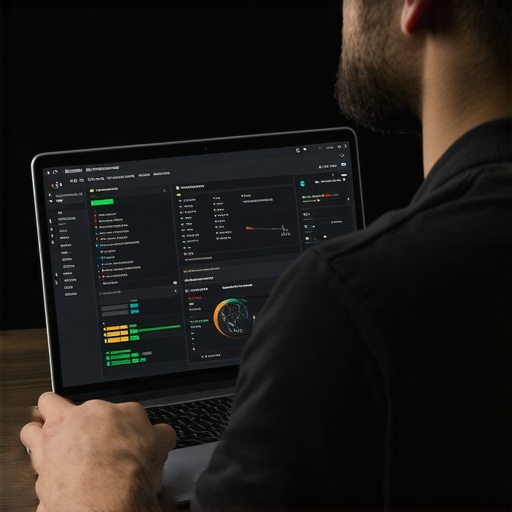
Caption: Visual overview of hardware monitoring dashboard showing CPU temperature, fan speeds, and disk health indicators.
Future-Proof Your Setup with Smart Practices
Looking ahead, integrating AI-driven health diagnostics and automatic update scheduling could revolutionize device longevity. Some ultrabooks already utilize embedded sensors to predict hardware failures, alerting users proactively. Adopting these future-ready practices now—such as enabling automatic firmware updates and monitoring system logs regularly—can save time and money in the long run. A good starting point is to set up automated schedules for maintenance tasks using tools like Windows Task Scheduler, which I use to run scripts that check for system errors daily.
Get started today by setting up an automatic firmware updater, and observe how your device maintains peak performance over time.
The Harder Lessons that Improved My Laptop Strategy
One insight that truly transformed my approach was realizing that not all high-end specs compensate for poor build design. It’s tempting to chase top-tier processors or super-high resolutions, but durability and reliability often take precedence. I learned this after numerous costly repairs that could have been avoided with better initial choices, emphasizing the importance of quality hinges, reinforced chassis, and real-world testing over flashy specs.
Another revelation was the significance of understanding hinge design nuances. Many overlook the engineering that goes into military-grade or reinforced hinges, yet these details define a laptop’s longevity, especially for students constantly on the move or professionals in dynamic environments. My experience with models featuring these advanced hinges underscored the value of inspecting and questioning hardware architecture, not just marketing claims.
Resources That Keep My Knowledge Sharp
For maintaining peak laptop performance and making informed decisions, I rely on detailed reviews and technical guides. This review of ultrabooks that last a full shift offers unparalleled insights into thermal management and build quality, which are critical when evaluating durability. Additionally, the book Upgrading and Repairing Laptops by Scott Mueller provides comprehensive knowledge about hardware architecture, helping me identify potential weak spots before purchase.
Online forums and communities like Reddit’s r/laptops also serve as invaluable platforms where users share real-world experiences, often revealing issues hidden in typical reviews—like port durability, hinge wobble, or screen resilience—that aren’t always documented officially.
Your Move Towards More Reliable Machinery
If you’re serious about investing in a device that can withstand the demands of 2026, start by scrutinizing the build quality and understanding the technical design behind hinges and chassis materials. Remember, those minor design elements often determine whether your ultrabook will serve reliably for years or require premature replacement. Shift your focus from just specs to tangible durability features, and you’ll find your investment pays off in longevity and peace of mind. What’s your biggest challenge when selecting a durable student or business laptop? Share your experiences below and let’s learn together!

About the Author
Bruce Salamon
COO | Scaled B2B SaaS from $500K to 16 Countries
Bruce Salamon is a seasoned operations executive and the Chief Operating Officer at Coniq, where he has spent over eight years driving global growth and operational excellence. With a proven track record of scaling B2B SaaS platforms from early-stage revenue to international success across 16 countries, Bruce brings a unique, high-level perspective to the technical landscape. His experience navigating the demands of fast-paced tech environments in New York, London, and Paris has given him a deep understanding of the hardware that powers modern business. At laptops.techgearshowcase.com, Bruce leverages his extensive background in technology infrastructure to provide authoritative insights into high-performance computing and enterprise-grade hardware. He understands that for professionals, a laptop is more than a device; it is a critical tool for productivity and scaling operations. His reviews focus on reliability, performance, and the practical needs of the modern workforce. Bruce is dedicated to helping others navigate the complex world of technology to find the tools that best support their professional ambitions.
LinkedIn Profile
Reading this post really highlights the importance of not just prioritizing specs when choosing ultrabooks for demanding environments, but also paying close attention to the build quality, especially hinges and materials. I’ve learned from personal experience that a rugged chassis and military-grade hinges can make all the difference—especially for professionals constantly on the move. One thing that struck me was the emphasis on inspecting ports and using hardware monitoring tools; these are often overlooked but crucial for ensuring longevity and reliable performance.
I wonder what the latest innovations are in hinge design to further improve durability? Have any of you used ultrabooks with innovative or proprietary hinge mechanisms that significantly extend their lifespan? It’d be great to share insights and possibly avoid future costly repairs.