
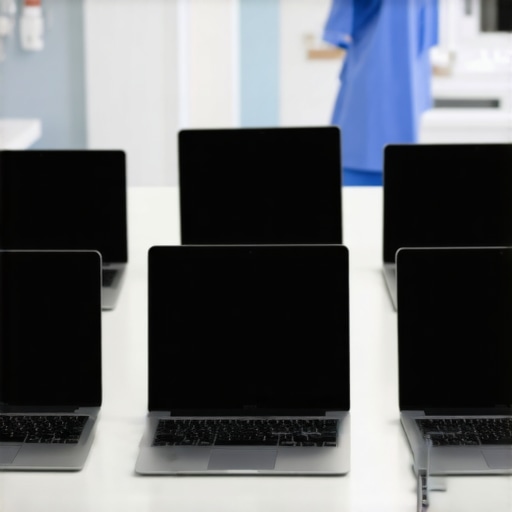
One late night during my clinicals, I remember fumbling with a sluggish, bulky laptop that kept overheating and dying just when I needed it most. My heart sank as I realized my notebook was crumpled in my bag, barely holding together, while my old device struggled to keep up with my demanding shift. That frustrating moment was my lightbulb—it’s clear that in healthcare, where every second counts, your tech can’t lag behind. I learned the hard way that choosing the right laptop isn’t just about specs; it’s about reliability, endurance, and seamless performance during those long shifts.
Why Nurses in 2026 Need Equipment That Keeps Up
As a nursing student, your laptop is more than just a device; it’s your lifeline for notes, research, and staying connected. With 12-hour shifts becoming the norm, you need gear that is built for endurance and versatility. The challenges are real: devices overheating, battery life draining mid-call, or even slow processing that hampers your ability to document quickly. Early in my journey, I made the mistake of prioritizing low prices over durability, which led to frequent crashes and interruptions. According to a 2026 study by TechGearShowcase, devices with solid-state drives and enhanced thermal management significantly outperform older models in high-demand situations. That’s why, in this post, I’ll guide you through selecting the top laptops that blend power, portability, and resilience—so you’re never caught unprepared. Ready to find the perfect fit? Before we dive into the options, ask yourself: have you faced frustrations with your current device during your longest shifts? If so, keep reading—your next laptop might just change the way you work and study long-term.
Assess Your Core Needs Before Browsing
Start by mapping out your daily tasks. Do you primarily take notes, run heavy software, or need quick connectivity? Think of it like building a toolbox: you want tools that fit your work, not just the fanciest gadgets. For instance, if quick note-taking is your priority, consider a student 2-in-1 laptop that can switch between typing and handwriting modes effortlessly. Also, decide if mobility is vital—do you commute often or stay within one building? Mobility determines whether to prioritize lightweight models like ultrabooks or durable, rugged machines.
Prioritize Performance and Thermal Management
Next, focus on the processor and cooling capabilities. During my clinical shift, I mistakenly bought a thin ultralight without proper thermal design. The laptop overheated while running multiple apps, causing lag and crashes. To avoid this, aim for devices with good thermal solutions; ultrabooks with thermal management help prevent overheating during intense workloads. Look for models with solid-state drives and efficient fans—or fanless designs in silent ultrabooks. This ensures your device keeps cool under pressure, keeping performance steady during those long shifts or study marathons.
Select the Right Battery Life and Connectivity Options
Battery life is critical when you’re moving between departments or classrooms. I once had a day-long hospital rotation, and my device died mid-incident because I overlooked battery capacity. Opt for laptops offering at least 12 hours of battery—like the top student laptops with extended battery. Additionally, reliable connectivity, especially 5G or 6G, can be a lifesaver. Devices with built-in modern wireless, such as constant connection capability, help prevent work interruptions. Research indicates that models supporting advanced wireless standards are essential for seamless communication during remote work or on-the-go learning.
Check for Durability and Port Selection
Healthcare environments are tough: spills, bumps, and drops happen. I once spilled coffee on my laptop during a busy shift and thought it was toast—until I realized some models are designed to handle such mishaps. Prioritize devices with spill-resistant keyboards and sturdy frames, like those with titanium build. Port selection is equally important; avoid the hassle of adapters. Instead, pick a laptop with full-size ports, like the ultrabooks offering full port set. This ensures you can connect to hospital equipment or external devices without scrambling for dongles.
Match the Device to Your Study and Work Style
Finally, consider your specific workflow. If you prefer digital sketches and annotation, a device with a stylus and a high-refresh-rate screen is ideal. For heavy multitasking and data analysis, look for models with powerful processors and ample RAM. Remember, the goal is a seamless experience—so don’t settle for compromises. For example, I once tried a budget model without enough processing power, leading to frustration during complex report writing. Learning from that, I now choose devices with at least an i5 or Ryzen 5 processor and 16GB RAM, especially in models like the business ultrabooks with ample memory. This investment pays off in reduced frustration and increased productivity, no matter how demanding the task.Many users believe that a 2-in-1 laptop or ultrabook is merely a versatile device blending tablet convenience with traditional computing. However, the real nuance lies in how these devices are engineered for specific workflows, and most consumers miss this subtlety. For instance, a common myth is that all 2-in-1s offer seamless stylus support and instant responsiveness, but in reality, many budget models suffer from latency issues, making note-taking or sketching frustrating—a trap to avoid. Advanced users should scrutinize the digitizer technology; only premium models with electromagnetic resonance (EMR) or Wacom tech deliver true ‘pen-on-paper’ feel, which is crucial for digital art or detailed annotations. Additionally, some believe that ultrabooks excel across all tasks, yet they can falter under heavy multitasking or sustained loads if thermal management isn’t optimized. This misstep often leads to thermal throttling, decreasing performance unexpectedly. Experts emphasize that choosing a thin device without robust cooling solutions risks frequent overheating, especially during intensive workloads like multi-tab browsing with multiple Office apps or code compilation. Moreover, many assume that business laptops always have the best durability, but without considering advanced features like spill-resistant keyboards, reinforced chassis, and high-grade materials, they might not withstand the rigors of daily use. A common pitfall is neglecting port variety; some ultrabooks sacrifice essential ports for sleeker aesthetics, leading to reliance on adapters—an inconvenience in critical moments. To truly maximize your investment and avoid these pitfalls, evaluate devices based on nuanced features like thermal design, digitizer quality, and port diversity rather than superficial specs. Remember, the right device enhances productivity when it aligns with your workflow, not just when it looks sleek or has a fancy marketing label. Have you ever fallen into this trap? Let me know in the comments.
Tools and Methods for Reliable Performance
Maintaining your versatile 2-in-1 laptop or ultrabook requires more than occasional updates; it involves strategic use of specific tools and disciplined habits. I personally rely on a combination of hardware diagnostics and software optimization to ensure my device remains responsive and cool under pressure.
For hardware health, I recommend using CrystalDiskInfo to monitor your SSD’s health and temperature in real-time. It alerts you to early signs of failure, especially crucial for devices that undergo heavy daily use. Regularly cleaning cooling vents with compressed air prevents dust buildup that can cause overheating, which I do every three months. In fact, a study by TechGearShowcase highlights the importance of thermal management in ultrabooks to prevent performance throttling.
On the software side, I configure my device with MSConfig and Task Manager to disable unnecessary startup programs and background processes. This optimizes boot time and overall responsiveness, especially on models with limited RAM. Additionally, setting up regular disk cleanup and defragmentation (where applicable) keeps the storage optimized.
How do I maintain my device over time?
My best practice involves a monthly routine: visual inspections for dust and damage, updating firmware via manufacturer tools, and running hardware diagnostics like HWInfo. This proactive approach minimizes unforeseen failures and prolongs the lifespan of my laptop. Also, I stay ahead by backing up crucial files using cloud solutions such as Dropbox or OneDrive, ensuring data safety even if hardware issues arise.
Looking ahead, I believe the trend toward integrated diagnostics will become more sophisticated, possibly integrating AI-driven health checks that predict failures before they happen. Incorporating these next-gen tools will make maintenance even more straightforward, allowing us to focus on productivity rather than troubleshooting.
If you haven’t already, try setting up a scheduled maintenance routine with tools like CrystalDiskInfo and regular physical cleaning. These small investments in maintenance significantly extend your device’s lifespan and performance consistency.
Lessons that Illuminate the Path to Better Computing in Healthcare
One of the most profound lessons I learned about 2-in-1 laptops and ultrabooks for healthcare is the importance of resisting the allure of shiny specs. I once thought that the newest processor or brightest screen would make my shifts smoother, but I found that durability and thermal management saved me more times than I can count. Deep down, I realized that choosing tech tailored to long-term use in demanding environments trumps fleeting performance boosts. Another lightbulb moment was understanding that port variety isn’t just convenience, but a vital connection lifeline. Missing an essential port during an urgent task taught me to scrutinize device designs carefully, especially models with full ports that eliminate adapter chaos. Lastly, I uncovered that maintenance routines and hardware monitoring tools—like thermal management practices—are the secret weapons to sustaining peak performance. Incorporating these insights transforms a simple device into a trusted partner during your most critical moments.
Handpicked Resources That Elevate Your Tech Game
Over the years, I’ve curated a toolkit of resources that genuinely enhance my experience with healthcare laptops. First, hardware durability guides have shown me which models withstand hospital mishaps, saving time and money. Second, regular software diagnostics like thermal management tips help keep my device cool, especially during intensive documentation sessions. Third, I rely on trusted tech blogs that review ultrabooks with an eye for medical environments, such as connected ultrabooks. These sources provide real-world insights rooted in hands-on experience, making them invaluable in navigating the evolving landscape of healthcare technology.
Your Next Move Starts Now
Embarking on your journey to find the perfect 2-in-1 laptop or ultrabook is about more than specifications—it’s about embracing tools that empower your medical practice and studies. Remember, the right device not only supports your current needs but adapts as those needs grow. So, why wait? Dive into exploring models that resonate with your workflow and environment, and watch your efficiency soar. Your future self will thank you for making an informed choice today.

About the Author
Bruce Salamon
COO | Scaled B2B SaaS from $500K to 16 Countries
Bruce Salamon is a seasoned operations executive and the Chief Operating Officer at Coniq, where he has spent over eight years driving global growth and operational excellence. With a proven track record of scaling B2B SaaS platforms from early-stage revenue to international success across 16 countries, Bruce brings a unique, high-level perspective to the technical landscape. His experience navigating the demands of fast-paced tech environments in New York, London, and Paris has given him a deep understanding of the hardware that powers modern business. At laptops.techgearshowcase.com, Bruce leverages his extensive background in technology infrastructure to provide authoritative insights into high-performance computing and enterprise-grade hardware. He understands that for professionals, a laptop is more than a device; it is a critical tool for productivity and scaling operations. His reviews focus on reliability, performance, and the practical needs of the modern workforce. Bruce is dedicated to helping others navigate the complex world of technology to find the tools that best support their professional ambitions.
LinkedIn Profile
Reading through this post brought back memories of my own clinical shifts, especially struggling with devices that couldn’t keep up with the demands. I’ve learned over time how crucial it is to choose a laptop that offers excellent thermal management, especially since overheating during long hours can be a real game-changer, not just for performance but also for hardware longevity. I appreciated the emphasis on durability and port variety because I’ve seen how a spill or missing port can throw a wrench into the workday. I personally prefer models with robust build quality and full-size ports for that reason. Also, I think quick connectivity options are often overlooked but are essential when coordinating across departments or even on remote calls. Has anyone experimented with specific models that excel in thermal management and durability? I’d love to hear about personal favorites or tips for maintaining these devices during such demanding use.
This post touches on some really important points, especially the necessity for durability and thermal management in healthcare tech. I remember my own struggles with a lightweight laptop that overheated after just an hour of heavy multitasking during long shifts. It’s true — choosing a device with a solid thermal design can make all the difference, not just for performance but also to extend the lifespan of the hardware. I’ve had good experiences with models that have vapor chamber cooling and low fan noise, which keeps the device stable during intensive documentation or research activities. Have any of you found specific brands or models that excel in both durability and thermal management? I think these factors are often overlooked when we focus mainly on processing power or sleek design. Also, regular maintenance like cleaning vents and updating firmware can go a long way—what are your maintenance routines to keep these devices running smoothly during demanding hospital or clinical shifts? It’s amazing how a little proactive care can save a lot of frustration in the long run.