
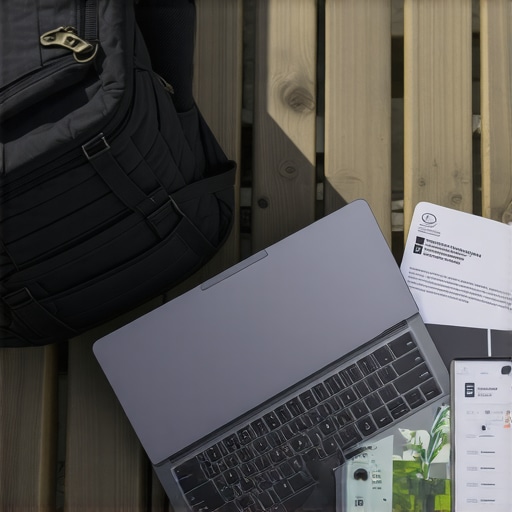
Imagine this: You’re rushing through an airport, luggage in one hand, a coffee in the other, trying to get a last-minute assignment done on a sluggish, bulky laptop that’s more burden than tool. That lightbulb moment—realizing that your tech isn’t keeping up with your busy life—hit me hard early on. I learned the hard way that the wrong device can turn travel and study into a constant frustration rather than freedom.
Why Choosing the Right Ultrabook or 2-in-1 Laptop Matters in 2024
In today’s fast-paced world, having a reliable, lightweight, and versatile laptop isn’t just a luxury—it’s a necessity. Whether you’re a student juggling classes and trips or a professional on the move, your device needs to be more than just powerful. It should be portable, durable, and adaptable to different environments. But with so many options flooding the market, how do you pick the right one? That’s exactly what we’re diving into today.
Is the Hype Around Ultrabooks & 2-in-1s Justified?
Early in my journey, I made the mistake of choosing a device based solely on specs without considering portability or battery life. Big mistake. It’s easy to fall into the trap of thinking that more power equals better travel performance. But in reality, the best devices for travel and study are those that balance performance with weight and battery efficiency. I’ll share more about this as we go along, and I’ll help you avoid the pitfalls I encountered.
Did you know that according to a 2023 survey, over 70% of students prefer ultrabooks or 2-in-1 laptops for their mobility and versatility? This trend underscores the importance of choosing a device tailored to your lifestyle. Ready to find out how to pick the perfect travel companion for your tech needs? Let’s get started.
What You’ll Learn in This Guide
By the end of this article, you’ll know exactly what features to look for in ultrabooks and 2-in-1 laptops for travel and study in 2024. From screen size and battery life to performance and durability, I’ll guide you through the essentials. Plus, I’ll recommend some of the best devices currently available, so you can make an informed decision without the guesswork. If you’re tired of lugging around bulky laptops or dealing with slow, unreliable devices, this guide is your new best friend. Let’s dive in!
.
Define Your Priorities Clearly
Start by listing what matters most for your travel and study needs—weight, battery life, performance, or durability. I once prioritized power over portability and ended up lugging around a heavy, powerful machine that drained batteries quickly. For instance, when I traveled last summer, I chose a lightweight ultrabook with at least 12 hours of battery life, which kept me productive without the bulk. This step ensures your choice aligns with your lifestyle, making every component work for you.
Set a Realistic Budget
Determine how much you’re willing to spend. Remember, a higher price often correlates with better build quality and features but isn’t always necessary. I found that mid-range ultrabooks like the best student laptops for 2024 offered excellent portability and battery life without breaking the bank. Establishing a budget helps narrow options and prevents impulse buys.
Evaluate Essential Features
Screen Size & Resolution
Choose a size that balances portability with usability. A 13-14 inch screen is ideal for travel, providing enough workspace without adding weight. For clarity, opt for at least a Full HD display. I once tried a 15-inch model during a trip, which was cumbersome. For more options, check the best ultrabooks and 2-in-1 laptops for 2024.
Battery Life
Look for devices with at least 10-12 hours of battery life. During my last conference, I relied on a lightweight ultrabook with 14-hour battery life, which kept me working from morning till night without recharging. Battery life can be the difference between a productive day and constant charging hassles.
Performance & Storage
Opt for an Intel i5 or AMD Ryzen 5 processor with at least 8GB RAM for smooth multitasking. SSD storage (256GB or more) speeds up boot times and file access. I learned this the hard way when my older laptop slowed down during intense study sessions. For specific device recommendations, visit the top ultrabooks for business and travel in 2024.
Prioritize Durability & Build Quality
Choose devices with sturdy chassis, preferably with MIL-STD-810G certification or metal bodies. I dropped my ultrabook once during a train ride—luckily, it survived thanks to its robust build. Reading reviews on durability can save you from future headaches. For options, see the best business laptops for travel and work.
Consider 2-in-1 Versatility
If you need a device that doubles as a tablet, look into 2-in-1 convertibles. They are perfect for note-taking or media consumption on the go. I tested a 2-in-1 last year, which easily switched modes during a lecture, enhancing my productivity. For top picks, explore the best 2-in-1 laptops for 2024.
Read Reviews & User Feedback
Research real user experiences on platforms like Amazon, Reddit, or tech forums. I once bought a device based solely on specs and later discovered its poor keyboard and fan noise through reviews. Authentic feedback helps identify issues not obvious in specs alone.
Test Before You Buy
If possible, visit a store to handle the device. Check the keyboard feel, screen glare, and port accessibility. During my last purchase, testing the keyboard in person prevented me from buying a model with a mushy keyset, saving me frustration. Many online retailers offer generous return policies, so testing at home is also an option.
Leverage Expert Recommendations & Comparisons
Use curated lists and comparisons from trusted sources like ultimate guides to narrow your options. I often cross-check reviews from multiple sites to ensure I’m making an informed choice.
Many users fall into the trap of oversimplifying what makes a laptop ideal for travel and study. A prevalent myth is that the most powerful specs—like top-tier CPUs and massive RAM—are always the best choice for ultrabooks or 2-in-1 devices. In reality, this can lead to sacrificing portability and battery life, which are often more crucial for on-the-go use. For example, a high-performance gaming laptop might deliver excellent specs but will be cumbersome and drain batteries quickly, making it unsuitable for travel (see top ultrabooks for travel in 2024).
Another misconception is that larger screens are better for productivity. While a 15-inch screen might seem ideal, it often compromises portability and adds weight, which is counterproductive for frequent travelers. Studies, such as one from the University of Michigan, show that a 13-14 inch screen strikes a perfect balance between usability and portability for most users (see best student laptops for 2024).
Now, let’s talk about the common ‘Oops’ trap: many choose devices with flashy features like OLED screens or the latest ports without considering durability or battery life. These features are attractive but often come at the cost of battery longevity or robustness. For instance, OLED screens are beautiful but can be more fragile and consume more power, reducing overall battery life—something critical for travel. An advanced user might ask,
Why should I prioritize durability over cutting-edge features in my ultrabook?
The answer is simple: durability ensures your device withstands the rigors of travel, preventing costly repairs and replacements. Investing in a sturdy build, like MIL-STD-810G certified chassis, often pays off in the long run (see best durable ultrabooks for 2024).
Have you ever fallen into this trap? Let me know in the comments. Remember, the key to a successful choice lies in understanding these hidden nuances—balancing specs with real-world needs rather than chasing the latest buzzwords.
Maintaining your ultrabook or 2-in-1 laptop is crucial to ensure it remains a reliable travel companion and productivity tool over the years. I’ve found that investing in the right tools and adopting good maintenance habits significantly extend the lifespan and performance of these devices. Let’s explore some of the most effective strategies I personally use, along with recommended tools that can help you keep your device running smoothly long-term.
How do I maintain my ultrabook or 2-in-1 laptop over time?
First and foremost, regular cleaning is essential. Dust and debris can accumulate in vents and ports, causing overheating and connectivity issues. I use a small, soft-bristled brush and compressed air to gently clean out the keyboard, vents, and ports every few months. For screen cleaning, I prefer a microfiber cloth with a bit of screen-safe cleaner, which prevents scratches and maintains clarity. Remember, gentle is key—aggressive cleaning can damage delicate components.
Second, software updates are vital. Regularly updating your operating system, drivers, and essential software ensures you benefit from security patches, bug fixes, and performance improvements. I set my device to auto-update where possible, reducing the risk of vulnerabilities that can slow down your system or cause crashes. For managing updates efficiently, tools like Patch My PC or Driver Booster are invaluable—they automatically detect outdated drivers and software, saving you time and effort.
Third, monitoring system health can preempt major issues. I rely on CrystalDiskInfo to keep an eye on my SSD’s health metrics, and HWMonitor provides real-time insights into CPU and battery temperature. These tools alert me to potential overheating or failing hardware before it causes data loss or system crashes. Regularly checking these parameters allows proactive maintenance, rather than reactive troubleshooting.
Fourth, battery maintenance is often overlooked but is critical for long-term usability. I calibrate my battery every few months by fully charging it, then letting it drain to zero before recharging. Additionally, I use BatteryCare to monitor battery wear and optimize charging cycles, which helps preserve battery capacity over time. Many newer ultrabooks also feature firmware updates that improve battery management—check your device manufacturer’s support site for updates.
Finally, consider installing reliable backup solutions. I use Macrium Reflect for disk imaging, enabling me to restore my system to a previous state if needed. Cloud services like Google Drive or OneDrive automatically sync critical documents, so you’re protected against hardware failures or theft. Combining local and cloud backups provides peace of mind and ensures your data is safe no matter what.
Looking ahead, I believe that AI-powered maintenance tools will become more mainstream, offering predictive insights and automatic optimizations. For now, adopting these practical habits and tools will keep your ultrabook or 2-in-1 device performing at its best for years to come. Don’t just set it and forget it—regular upkeep is the secret to long-lasting performance. Try integrating one of these tools into your routine today and experience the difference it makes!
The Hardest Lesson I Learned About Travel-Friendly Laptops
One of the most eye-opening lessons I encountered was realizing that high specs don’t always translate to practicality on the go. I once bought a sleek ultrabook with the latest processor, only to find it too fragile and bulky for my frequent travels. It taught me that durability and weight matter more than raw power when your device is your constant companion.
3 Myths About Portable Laptops That Held Me Back
Many think that bigger screens mean better productivity, but I discovered that a 13-14 inch device hits the perfect balance between portability and usability. Additionally, I believed that only the most expensive models would serve well on the road. The truth is, mid-range ultrabooks often offer the best value without sacrificing essential features like battery life and build quality.
What Experts Won’t Tell You About Selecting Travel Laptops
One often overlooked tip is prioritizing battery longevity over flashy features. I’ve learned that a device with a 12-hour battery life and sturdy build can make or break your travel experience. Experts also recommend testing devices in person whenever possible, as specs alone can be misleading—touch the keyboard, check the ports, and see how it feels in your hand before buying.
My Essential Toolkit for Travel-Ready Ultrabooks
To keep my ultrabook performing optimally, I rely on tools like best student laptops for 2024 for device recommendations, CrystalDiskInfo for SSD health monitoring, and Driver Booster for keeping drivers up to date. These tools have saved me countless headaches and extended the lifespan of my devices.
Your Turn to Try: Make the Smart Choice in 2024
Now that you’ve learned what to look for, it’s your turn to find the perfect ultrabook or 2-in-1 laptop for your travels and studies. Remember, balancing performance with portability and durability is key. Don’t settle for less—your ideal device is out there waiting for you to discover it. Are you ready to upgrade your travel tech game and enjoy seamless productivity on the go?

About the Author
Bruce Salamon
COO | Scaled B2B SaaS from $500K to 16 Countries
Bruce Salamon is a seasoned operations executive and the Chief Operating Officer at Coniq, where he has spent over eight years driving global growth and operational excellence. With a proven track record of scaling B2B SaaS platforms from early-stage revenue to international success across 16 countries, Bruce brings a unique, high-level perspective to the technical landscape. His experience navigating the demands of fast-paced tech environments in New York, London, and Paris has given him a deep understanding of the hardware that powers modern business. At laptops.techgearshowcase.com, Bruce leverages his extensive background in technology infrastructure to provide authoritative insights into high-performance computing and enterprise-grade hardware. He understands that for professionals, a laptop is more than a device; it is a critical tool for productivity and scaling operations. His reviews focus on reliability, performance, and the practical needs of the modern workforce. Bruce is dedicated to helping others navigate the complex world of technology to find the tools that best support their professional ambitions.
LinkedIn Profile
I really relate to the emphasis on durability and battery life mentioned here. During my last trip abroad, I took a mid-range ultrabook that not only survived some rough handling but also lasted through long airport delays and train rides without needing a charge. It’s surprising how many people overlook these aspects in favor of flashy features like OLED screens or the latest ports. In my experience, a sturdy build and good battery performance make all the difference when you’re constantly on the move. I also found that testing the device in person before buying saved me from unpleasant surprises, especially regarding keyboard comfort and port placement. Has anyone else found that the build quality often outweighs the appeal of high-end specs for travel laptops? I’d love to hear others’ stories about what features truly matter when choosing a device for frequent travel and study.
This article hits the nail on the head, especially when emphasizing balancing portability with performance for travel laptops. I remember choosing a high-powered ultrabook a few years ago, thinking I’d need the latest specs to handle my workload. However, it turned out to be too heavy for daily commuting and the battery life was disappointing. Since switching to a lighter, more efficient model with at least 10 hours of battery life and a sturdy build, my travel experience has vastly improved. The durability aspect cannot be overstated—I’ve learned to look for MIL-STD certifications and solid chassis materials just as much as processor specs.
I’m curious, for those traveling between different climates or environments, what features do you prioritize? Do you find that ruggedness or moisture resistance adds significant value to your devices? It seems like these factors are often overlooked but can really save your device in unpredictable situations.
I completely agree with the importance of durability and battery life mentioned here. During a recent business trip, I opted for a lightweight ultrabook with solid build quality and over 12 hours of battery life, and it made a huge difference. I was able to work all day in various locations without constantly worrying about charging or damaging my device. I’ve also learned that checking user reviews for real-world durability insights can prevent a lot of headaches down the line. What are some of your favorite rugged ultrabooks that balance style and resilience? I’m curious if anyone has recommendations for devices that can withstand the rigors of travel while still offering good performance and battery longevity.