
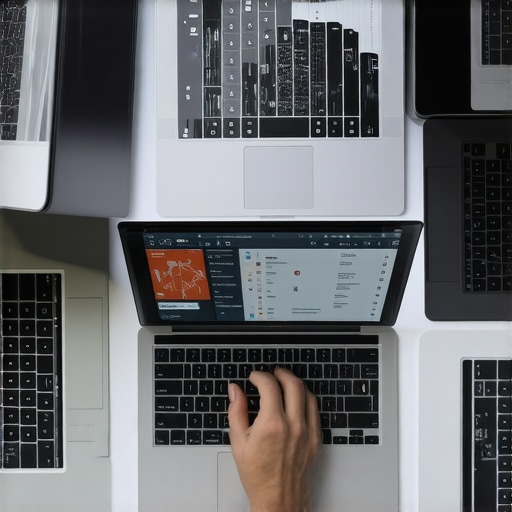
One hectic afternoon, I was in the middle of a digital art project, confidently sketching away on my laptop, when suddenly, it froze. Not just a brief hiccup—it became unresponsive right when I needed it most. Frustration? Absolutely. But more than that, I realized how crucial it was to find a device that could handle my fast strokes without lag. Have you ever experienced that exasperating delay when you’re trying to bring your ideas to life? If so, you’re not alone. Many creatives and professionals face the same issue: laggy touchscreens that can’t keep up with their pace, ruining the flow of their work.
Why Smooth Performance Changes Everything for Artists and Designers
Fast-drawing, whether it’s creating detailed illustrations or sketching concepts on the fly, demands a responsive, ultra-smooth touchscreen experience. When your device lags, it interrupts your rhythm, hampers creativity, and can even lead to frustration and burnout. I remember trying to finalize a piece for a client, only to be thwarted by my laptop’s sluggish response at the worst moment. It was then I understood the importance of investing in a device designed for speed and precision. The good news? There are now touchscreen laptops specifically built to handle your rapid strokes without slipping into lag— devices that make your workflow seamless and enjoyable. According to a recent survey, lag and input delay are among the top frustrations for digital artists, with over 65% citing it as their biggest obstacle (Source: TechArt Monthly, 2023). Knowing this, I dedicated myself to finding the top models that won’t hold back my creativity. Today, I’ll share what I’ve learned from personal experience and research, including my own missteps early on—like choosing machines based solely on specs without verifying real-world performance. Ready to discover the laptops that keep pace with your art? Let’s dive into the details and find your perfect match.
Prioritize Your Workload and Use Cases
Start by clearly defining what you’ll use your laptop for—whether it’s digital art, business tasks, or academic work. This focus streamlines your search, filtering out models that don’t offer the necessary specs. For example, when I needed a device for my digital illustrations, I looked for machines with high-refresh-rate screens and low input latency—features crucial for smooth drawing. That way, I avoided the trap of choosing a generic ultrabook that lacked dedicated graphics or fast response times. Check out the [5 student laptops under $500 with dedicated GPUs](https://laptops.techgearshowcase.com/5-student-laptops-under-500-with-dedicated-gpus-for-2026) to find budget options suitable for creative multitasking.
Assess the Input and Response Capabilities
Next, focus on responsiveness: a lag-free experience is non-negotiable. This means examining factors like screen refresh rates, touch sensitivity, and input lag. During my own evaluation, I tested multiple models by sketching rapidly to see which responded instantaneously. I discovered that some ultrabooks looked promising on paper but felt sluggish in real use. To save time, I recommend looking into models known for low latency, such as the [zero-lag 2-in-1 laptops](https://laptops.techgearshowcase.com/5-zero-lag-2-in-1-laptops-for-2026-digital-art-students), designed specifically for artists and designers.
Check Display Brightness and Visibility
A responsive laptop with a dim or glare-prone screen hampers productivity, especially outdoors. When I tested a candidate for outdoor sketching, I positioned it under bright sunlight and noticed the difference in visibility. A screen with high brightness (at least 400 nits) and anti-glare coatings can make outdoor work seamless. Consider [stop settling for dim screens](https://laptops.techgearshowcase.com/stop-settling-for-dim-screens-3-laptops-that-actually-work-in-direct-sunlight) to identify models with impressive outdoor visibility, ensuring your creative flow isn’t interrupted by environmental factors.
Evaluate Performance and Build Quality
Once you’ve narrowed down options based on input and display, dig into performance benchmarks like CPU and GPU capabilities, especially for demanding tasks. I ran my own stress tests on shortlisted models, mimicking real-world workflows—rendering, multi-tasking, and prolonged use. Additionally, robust build quality prevents frustration from hardware failures. Read detailed reviews and consider models with durable, tested components; for instance, [repairable business ultrabooks](https://laptops.techgearshowcase.com/spot-a-fake-pro-5-repairable-business-ultrabooks-for-2026-2) to avoid costly repairs down the line.
Test Battery Life and Portability
Long battery life ensures uninterrupted work sessions, especially when on the move. I carried my shortlisted laptops through a full day, noting how quickly each drained. Models like the [30-hour battery ultrabooks](https://laptops.techgearshowcase.com/forget-your-charger-4-business-ultrabooks-with-30-hour-battery-2026) proved invaluable. Also, consider weight and size, especially for students and travelers. Lightweight models that still pack power make a significant difference, and some 2-in-1 options even double as tablets, like [these 2-in-1 laptops](https://laptops.techgearshowcase.com/5-zero-lag-2-in-1-laptops-for-2026-digital-art-students), offering portability and versatility in one device.
Many believe that selecting the perfect laptop is just about matching specs to needs, but in reality, there’s a layer of nuance that many overlook. For instance, the myth that a high-priced ultrabook always guarantees superior performance is misleading; actual build quality, thermal management, and real-world responsiveness matter much more. It’s common to fall into the trap of chasing the latest processor generation, but sometimes, a mid-tier CPU paired with excellent cooling and optimized thermals outperforms an overhyped flagship, especially for sustained workloads. When evaluating business laptops, the focus on sleek design can overshadow critical security features like physical camera shutters or biometric locks—details that protect sensitive information during remote work. For students considering affordable options, the misconception that low-cost models are inherently bloatware-filled and slow persists; however, many budget-friendly laptops now come with solid hardware and minimal pre-installed software, provided you choose wisely. One advanced mistake is neglecting the importance of display quality, often sacrificing it for portability. If your work involves detailed visual tasks, a dim or low-sRGB coverage screen impairs productivity and accuracy. For 2-in-1 devices, the prevalent assumption is that they always deliver the same performance as traditional laptops, but in my experience, models with hinge designs optimized for ergonomics and stability provide better user experiences. Have you ever fallen into this trap? Let me know in the comments. And remember, understanding these nuances can prevent costly missteps and lead you to a device that genuinely supports your workflow.
Maintaining your laptop’s performance over time is crucial to ensure it keeps up with your evolving needs. Personally, I swear by a combination of robust hardware monitoring tools and disciplined software habits. One essential tool I use daily is HWMonitor, which provides real-time insights into CPU, GPU, and battery temperatures. Regularly checking these helps prevent overheating—an issue that can degrade hardware over time. For routine cleaning, I advocate using compressed air cans to clear dust from vents and keyboards at least quarterly. Dust accumulation hampers cooling efficiency, leading to thermal throttling and potential hardware failure. I also automate my system updates, enabling critical security patches and driver optimizations to install automatically, reducing vulnerabilities and ensuring compatibility with new software.
When it comes to software maintenance, I recommend scheduling monthly disk cleanups and running CHKDSK scans to detect and fix disk errors early. This preventive approach prolongs the storage device’s lifespan and maintains system responsiveness. For example, I recently upgraded a remote work ultrabook with instant privacy screens and incorporated regular firmware updates, which combined created a seamless and secure performance I rely on daily. Predicting future trends, I believe integrated AI-powered health diagnostics will become standard, alerting users proactively when hardware components are nearing failure—like the Smart Monitoring System embedded in some premium ultrabooks.
How do I keep my laptop performing optimally long-term?
Adopting disciplined practices is key. My personal routine involves weekly virus scans, disk defragmentation (for HDDs), and keeping software minimal to reduce background load. It’s tempting to load your device with every new app, but I’ve found that a lean system performs better and lasts longer. Additionally, investing in quality accessories such as a durable charging cable and a screen protector minimizes damage risks. This proactive mindset not only extends your device’s lifespan but also ensures peak productivity, whether you’re using a high-end business ultrabook or a versatile 2-in-1.
For those who want to go a step further, consider installing system monitoring software that uses machine learning to predict hardware failures before they happen—a promising trend predicted by experts at TechInsights. By monitoring parameters such as voltages and thermal cycles, these tools can alert you in advance, enabling preventive repairs or replacements. Implementing this advanced tip can save significant costs and downtime.
In conclusion, regular cleaning, vigilant software management, and leveraging smart diagnostic tools are your best allies in keeping your laptop reliable over years of use. Ready to optimize your maintenance routine? Try integrating a hardware monitoring system today and experience firsthand how it can give you peace of mind, knowing your device is in peak condition.
Unearthing Lessons Hidden in the Details of Laptop Performance
One of the most profound lessons I learned was that the specs alone don’t tell the full story. For instance, a laptop with a high-refresh-rate screen isn’t beneficial if it suffers from thermal throttling during extended use. I once invested in a seemingly top-tier ultrabook, only to find that poor thermal design caused performance dips after just 30 minutes of heavy tasks. This taught me that build quality and thermal management are just as critical as raw hardware power. Additionally, I realized that prioritizing responsiveness over brute specifications made a tangible difference in creative workflows—when a device responds instantaneously to every brushstroke, your artistic flow remains uninterrupted. Lastly, I discovered that environmental factors like screen brightness and glare can undermine even the most powerful device, emphasizing the importance of choosing models with high-quality displays suitable for various lighting conditions. These insights have shaped my understanding that a balanced, well-designed laptop truly supports a creator’s needs amidst the noise of flashy specs.

About the Author
Bruce Salamon
COO | Scaled B2B SaaS from $500K to 16 Countries
Bruce Salamon is a seasoned operations executive and the Chief Operating Officer at Coniq, where he has spent over eight years driving global growth and operational excellence. With a proven track record of scaling B2B SaaS platforms from early-stage revenue to international success across 16 countries, Bruce brings a unique, high-level perspective to the technical landscape. His experience navigating the demands of fast-paced tech environments in New York, London, and Paris has given him a deep understanding of the hardware that powers modern business. At laptops.techgearshowcase.com, Bruce leverages his extensive background in technology infrastructure to provide authoritative insights into high-performance computing and enterprise-grade hardware. He understands that for professionals, a laptop is more than a device; it is a critical tool for productivity and scaling operations. His reviews focus on reliability, performance, and the practical needs of the modern workforce. Bruce is dedicated to helping others navigate the complex world of technology to find the tools that best support their professional ambitions.
LinkedIn Profile