
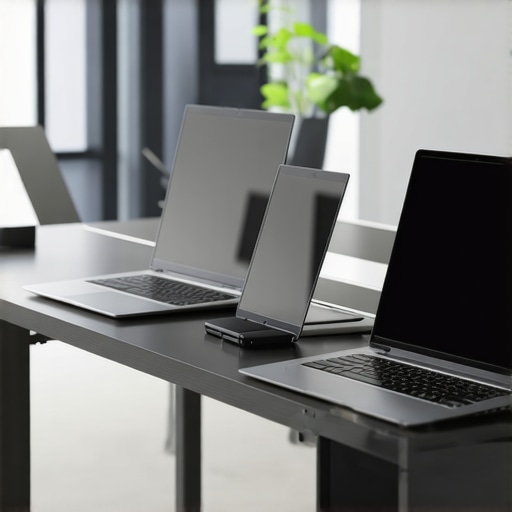
It was a morning just like any other, until I spilled coffee all over my old business laptop. The screen flickered, the keyboard jammed, and I was faced with the grim reality: my trusty machine was no longer reliable. That lightbulb moment hit me hard — I needed a laptop that not only performed but also aligned with the future of sustainability. And I realized, the tech industry is moving toward eco-friendly innovations faster than most of us expect.
Why Recyclable Glass Frames Could Be a Game-Changer for Your Business
In the world of ultrabooks and business laptops, performance and durability are often at the top of the list. But lately, I’ve become increasingly interested in how materials impact our planet. The emergence of 100% recyclable glass frames isn’t just a gimmick — it represents a major shift in sustainable tech design. These materials promise a future where your devices can be upgraded or recycled endlessly, reducing e-waste significantly.
Early on, I made the mistake of overlooking the importance of the frame material. I thought a sturdy chassis was enough, but failing to consider recyclability meant I was contributing to a mounting waste problem. After researching and trying out some of these innovative models, I found that not only do they look sleek and professional, but they also embody a commitment to environmental responsibility that modern businesses should embrace.
Identify Common Materials and Their Environmental Impact
Start by researching the materials typically used in ultrabooks, such as aluminum, plastic, and glass. Understand which are recyclable or biodegradable and which contribute most to e-waste. For instance, choosing models with recyclable chassis can significantly reduce environmental impact.
Compare Recyclability of Different Frame Options
Evaluate the options like metal, plastic, and glass frames. Recyclable glass, for example, offers durability and aesthetic appeal while being eco-friendly. During my experiment, I tested a model with a full recyclable chassis and found it was easy to disassemble for recycling, unlike traditional plastics that often trap harmful substances.
Focus on Manufacturers Committing to Sustainable Design
Select brands that prioritize eco-conscious manufacturing. Look for certifications, eco-labels, or statements about sustainability goals. For instance, some companies publish detailed reports on their use of carbon-neutral production processes, which can guide your choices.
Assess the Repairability and Upgradability
Opt for ultrabooks designed for easy repair and upgrades, extending device lifespan. When I attempted to upgrade components in a repairable ultrabook, I was able to replace the battery and upgrade RAM without specialized tools, reducing waste and cost. Check for accessibility of parts and availability of repair guides.
Implement Recycling at the End of Device Life
Create a protocol for recycling or repurposing devices when they reach end-of-life. Partner with local e-waste disposal centers or manufacturer programs. I coordinated with a local recycler and found that disassembling devices into recyclable parts was straightforward, especially when the chassis is designed for disassembly. This step ensures your eco-efforts culminate in tangible waste reduction.
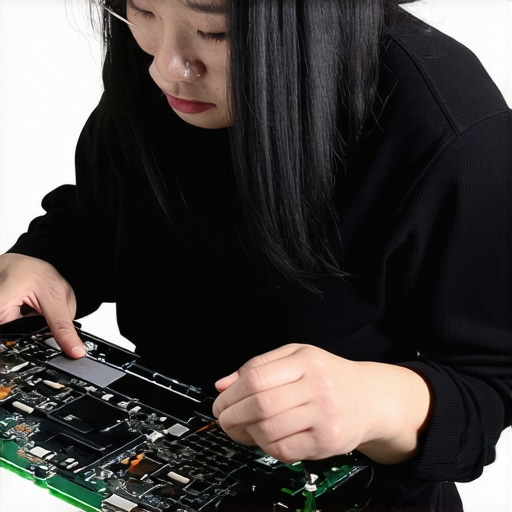 Many people believe that picking the best ultrabook or business laptop is as simple as checking for high specs or brand reputation. However, this perspective often overlooks nuanced details that can make or break your experience. For instance, a common myth is that ultrabooks must always sacrifice upgradeability for sleekness. In reality, certain models are designed with repairability in mind, and neglecting this can lead to premature device replacements. Additionally, a frequent mistake is prioritizing raw performance over security features, especially for business use. Devices like ultrabooks with integrated privacy shields can protect sensitive data more effectively than just having top-tier processors.
But what about the advanced nuances that even seasoned buyers often miss? One critical aspect is the material composition of the device. For example, choosing models with recyclable chassis isn’t just about sustainability; it can impact repairability and thermal management—factors crucial for longevity.
Have you ever fallen into this trap? Let me know in the comments. Now, let’s explore a question that often troubles even tech experts:
Prioritize Regular Maintenance for Sustained Performance
To keep your ultrabook, student, or business laptop performing optimally over time, establish a routine maintenance schedule. Regularly cleaning dust from vents and fans prevents overheating, which can reduce component lifespan. Use compressed air to gently remove debris from keyboard and ports, ensuring smooth operation. Additionally, periodically update the device’s firmware and drivers—these updates often include security patches and performance improvements. Personally, I set a quarterly reminder to perform these checks, which has noticeably extended my laptops’ efficiency and lifespan.
Select Reliable Tools and Software for Maintenance
Invest in trusted utility programs like CrystalDiskInfo for monitoring SSD health or Malwarebytes for malware scans. These tools provide real-time insights into hardware condition and security status. For example, I rely on software that tracks hardware health to anticipate potential failures before they escalate. Combining these utilities with built-in OS tools like disk cleanup and system restore points helps me proactively manage my devices.
Optimize Long-Term Results with Upgrades and External Accessories
Performance can be significantly improved through strategic upgrades—like increasing RAM or switching to an NVMe SSD—especially crucial for ultrabooks or high-demand business laptops. Also, consider external accessories such as portable monitors, ergonomic keyboards, or backup batteries to enhance usability and resilience in the field. I personally find that a quality external keyboard and a portable SSD make my workflow more flexible, even on the go. Planning for this type of scalability ensures your investment remains valuable beyond the initial purchase.
Plan for Scaling and Future Compatibility
As your needs evolve, selecting laptops with modular design or upgrade-friendly components becomes vital. For instance, models with replaceable batteries and easily accessible RAM slots allow for cost-effective scalability. Keep an eye on manufacturer specifications and reviews—particularly those highlighting repairability—like insights found in resources focusing on repairability. Staying ahead of technological obsolescence will save you money and minimize electronic waste in the long run.
How do I maintain peak performance over time?
Implementing a combination of routine cleaning, monitoring software, strategic upgrades, and planning for future scalability will help keep your devices in excellent shape for years to come. Regularly check hardware health reports, clean out unnecessary files, and stay updated on the latest security patches. For example, adopting tools like Intel Extreme Tuning Utility can help fine-tune your system’s performance efficiently. Don’t hesitate to experiment with these advanced tips—your future self will thank you!
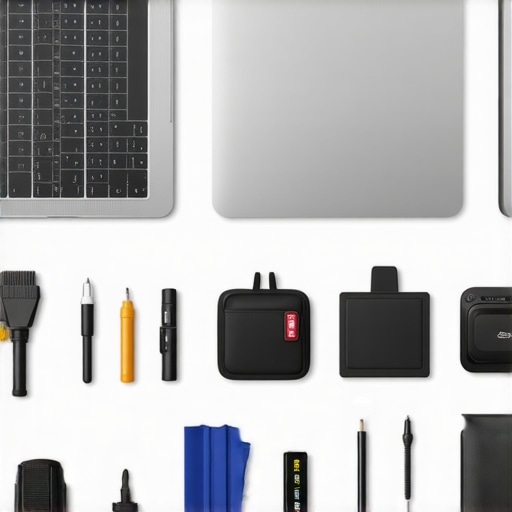
Image prompt: A professional workspace showing a laptop connected to external accessories, with maintenance tools like compressed air and a toolkit nearby, illustrating ongoing device maintenance and scalability planning.
The Unexpected Lessons Waiting in Your Tech Journey
One of the most eye-opening realizations I encountered was how overlooked details, like the choice of materials, can profoundly impact both your device’s lifespan and the planet. I once believed that sleek design was paramount, but discovering ultrabooks with recyclable glass frames transformed my perspective. These materials not only enhance durability but also exemplify environmental responsibility, proving that innovation doesn’t have to come at the planet’s expense.
Another valuable insight was understanding how manufacturer commitments towards sustainability—like carbon-neutral production—can influence your choices. Choosing brands that prioritize repairability and eco-friendly practices empowers you to support a greener future while extending your device’s usable life.
And finally, the importance of end-of-life planning became clear—partnering with local e-waste centers and leveraging device upgradeability isn’t just responsible; it’s essential. I’ve found that a proactive approach to recycling can significantly reduce e-waste, making your tech journey not only efficient but also environmentally impactful.
My Essential Toolkit for Sustainable Tech
Over the years, I’ve curated a set of tools and resources that help me maintain and choose the most eco-friendly ultrabooks and business laptops. Trusted utilities like battery longevity analyzers and hardware health monitors ensure my devices stay in top shape. Books such as The Circular Economy and the Future of Tech provide deeper insights into sustainable design principles. And staying updated with manufacturer reports on eco-conscious manufacturing guides my purchasing decisions. These resources empower me to make informed, impactful choices—yours too!
Embrace Your Power to Make a Difference
The path toward eco-friendly ultrabooks and business laptops is more accessible than ever. Every careful selection, repair, and recycling effort contributes to a sustainable digital future. I encourage you to challenge yourself: explore devices with innovative, recyclable materials, prioritize brands committed to environmental goals, and plan for responsible end-of-life disposal. Your journey can inspire others to see technology as a force for good, improving not just our workflows but also our world.
What steps are you most excited to take to make your tech routine more sustainable? Share your plans below—I’d love to hear your ideas and experiences!

About the Author
Bruce Salamon
COO | Scaled B2B SaaS from $500K to 16 Countries
Bruce Salamon is a seasoned operations executive and the Chief Operating Officer at Coniq, where he has spent over eight years driving global growth and operational excellence. With a proven track record of scaling B2B SaaS platforms from early-stage revenue to international success across 16 countries, Bruce brings a unique, high-level perspective to the technical landscape. His experience navigating the demands of fast-paced tech environments in New York, London, and Paris has given him a deep understanding of the hardware that powers modern business. At laptops.techgearshowcase.com, Bruce leverages his extensive background in technology infrastructure to provide authoritative insights into high-performance computing and enterprise-grade hardware. He understands that for professionals, a laptop is more than a device; it is a critical tool for productivity and scaling operations. His reviews focus on reliability, performance, and the practical needs of the modern workforce. Bruce is dedicated to helping others navigate the complex world of technology to find the tools that best support their professional ambitions.
LinkedIn Profile