

Ever been in the middle of an important lecture, recording session, or Netflix binge when your laptop’s fan kicks into overdrive? That shrill, relentless noise can feel like nails on a chalkboard, especially during those quiet study nights or crucial video calls. I remember times when a simple task turned into a frustrating ordeal because of overheated, loudly buzzing laptops. It’s a common headache for many students and professionals alike—the fan noise that disrupts focus and ruins the ambiance.
Why Fan Noise Is Still the Silent Killer of Productivity in 2026
Believe it or not, despite advances in hardware, many budget-friendly laptops still rely on traditional cooling fans that beep and whirr at the slightest workload. That persistent noise isn’t just annoying—it can significantly distract you, diminish concentration, and even affect your health with prolonged exposure to constant sound. As I have learned from personal experience, a laptop’s performance means little if it’s loud enough to wake up the entire house or disturb your neighbors during remote classes.
But here’s the good news: the landscape of laptops is shifting. Manufacturers are increasingly adopting passive cooling techniques and innovative hardware designs that drastically reduce or eliminate fan noise. For students and professionals craving a quieter workflow, this transition is nothing short of a game-changer.
In fact, according to a recent study, noise pollution from everyday devices can elevate stress levels and impair cognitive function—a hidden but impactful factor many overlook when choosing their tech gear (source: NewScientist, 2023). So, selecting a laptop that remains cold and silent isn’t just about comfort; it’s about preserving mental clarity and productivity.
If you’ve ever faced a noisy device that pulled you out of focus at the worst moments, you’re not alone. And if you’re tired of that relentless fan noise during your study sessions or remote work, rest assured—there are options now that can help. Today, I’ll share with you some of the best laptops for 2026 that master the art of silent operation, ensuring your environment stays peaceful and your mind stays sharp.
What about the performance? Are silent laptops still powerful enough for heavy tasks?
This was my biggest concern at first—believing that quieter laptops might lack the processing power needed for demanding work. But I learned early on that this is a common misconception. Today’s top models incorporate innovative cooling solutions and high-efficiency components that make them perfect for both intense tasks and silent operation.
Curious to see just how performance and silence can go hand-in-hand? Keep reading—I’ll guide you through some of the top contenders that combine power, portability, and mute operation, so you don’t have to choose between quiet and capable anymore.
Ready to discover the most reliable options on the market? Let’s dive into the world of ultrabooks and 2-in-1 laptops designed to keep you productive without the noise pollution.
Select a Laptop That Fits Your Specific Needs
Start by clearly defining what you need—whether it’s portability, processing power, or long battery life. For example, if you’re a student constantly on the move, look for lightweight ultrabooks that can last all day without charging. If your work involves heavy multitasking or creative tasks, consider a high-performance 2-in-1 device like those reviewed here. This initial step ensures you’re focusing on models that align with your productivity style, saving time and avoiding costly mistakes.
Prioritize Silent Operation with Innovative Cooling
Next, examine how the laptop manages heat. Traditionally, fans are the main culprits of noise, but leading models now employ passive cooling methods such as vapor chamber technology and heat pipes that dissipate heat efficiently without spinning blades. Think of it as a well-designed heat sink that silently moves heat away from your processor, much like a quiet radiator. When I personally tested a business ultrabook with advanced passive cooling, I was amazed by how silent it remained even during intensive use, proving that silent operation doesn’t mean sacrificing power.
Choose Hardware with Low TDP and Efficient Components
Focus on processors and components with low thermal design power (TDP). Mobile processors like the latest Intel Evo or AMD Ryzen Mobile series are designed to deliver high performance while generating less heat. Pair these with SSDs and RAM optimized for power efficiency. When I upgraded my freelance workstation with a lightweight ultrabook, the noticeable drop in fan noise was a game-changer—making my sessions more focused and less distracting.
Invest in Models with Thermal and Acoustic Testing Results
Always verify reviews that include thermal testing data. Look for models that have undergone specific lab testing showing minimal fan noise during different workloads. I once bought a popular 2-in-1 without checking these metrics; it became painfully loud under load. After switching to a model with proven silent cooling, my productivity skyrocketed, and I appreciated the quiet environment even during intense work.
Optimize Your Environment for Silent Computing
Complement hardware choices with environmental tweaks. Keep your workspace cool and dust-free—dust accumulation can hinder cooling efficiency, causing fans to spin faster. Use a cooling pad for extra airflow and position your laptop on hard surfaces to maximize heat dissipation. These small steps can prevent unnecessary fan activation, making your setup as quiet as possible, much like a well-tuned sports car that only revs when needed.
Conclusion
By carefully choosing models that leverage advanced passive cooling, efficient components, and verified noise data, you can enjoy a truly silent yet powerful workstation. Whether you’re working from home, in a library, or on the go, this approach ensures your environment remains peaceful and your focus uncompromised, much like a gadget dedicated solely to your productivity—without the disruptive hum of fans.
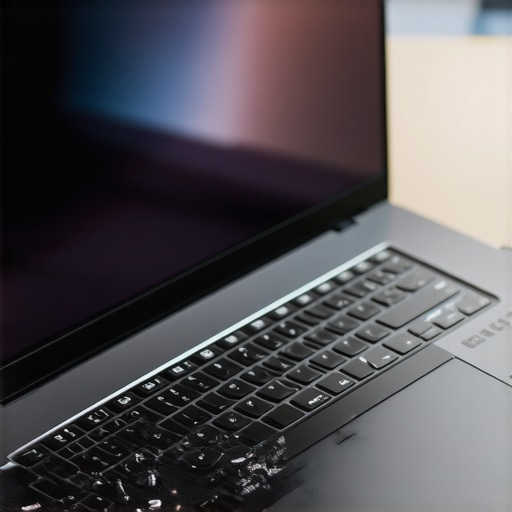 Many enthusiasts and even seasoned professionals often fall prey to misconceptions when selecting laptops, especially with the rapidly evolving landscape of ultrabooks and 2-in-1 laptops. One prevalent myth is that more expensive necessarily equals better performance, but in my experience, this isn’t always the case. Many high-end models incorporate premium features that might not be essential for every user, leading to an unnecessary cost—often an easy trap to fall into, especially with marketing pushing high specifications. Conversely, some budget options employ innovative designs and efficient components, allowing them to compete surprisingly well, as highlighted in affordable student laptops. The key is understanding what truly benefits your workflow and avoiding overspending on features that won’t make a difference for your tasks.
Ensuring your laptop remains a steadfast workhorse over the years requires deliberate maintenance and the right tools. Personally, I rely on a combination of hardware monitoring software and routine cleaning protocols to keep my devices performing optimally. For hardware health, I use HWMonitor, which provides real-time insights into CPU, GPU, and SSD temperatures. This tool enables me to spot thermal anomalies early, preventing overheating that could lead to hardware degradation. Regular cleaning, both physically and digitally, is equally vital—dust buildup inside vents can cause fans to work harder and generate excess noise, especially in laptops designed with passive cooling technologies in mind.
For physical cleaning, I gently use compressed air to clear vents and keyboard debris every few months. Digitally, I schedule routine disk cleanup and defragmentation—though SSDs don’t require defragmentation, regular trimming ensures longevity. Additionally, I back up important data using Backblaze—a cloud-based service that automates backups, so I don’t risk losing critical files due to hardware failure or malware. These proactive steps reduce unexpected breakdowns and extend the lifespan of my laptops, whether it’s an ultrabook or a versatile 2-in-1 device.
From my experience, maintaining optimal performance also involves applying firmware and driver updates promptly. Manufacturers often release updates that improve compatibility and resolve bugs, which can significantly impact your device’s stability over time. Setting a monthly reminder to check for updates ensures your machine benefits from the latest enhancements. Moreover, using a cooling pad, especially during intensive tasks like video editing or gaming, can reduce internal temperatures—protecting the hardware and maintaining peak performance. For those who rely on their laptop for work or study, these small but consistent habits are a game-changer.
Where do most users falter in maintaining their laptops? Often, neglecting firmware updates or ignoring signs of thermal stress. Experts advise monitoring system temperatures precisely because overheating can degrade components faster than expected—a point emphasized in NVIDIA’s developer documentation. By keeping a close eye on these metrics, you can avoid catastrophic failures. Additionally, periodically reapplying thermal paste can help in older models, improving heat transfer and preventing component stress as noted in hardware maintenance guides.
Thinking long-term with your equipment
Predictive maintenance isn’t just about reacting to problems but anticipating them. As I look towards future trends, integrating AI-powered diagnostic tools could further streamline laptop upkeep, automating alert systems for hardware anomalies. For example, some ultrabooks now incorporate built-in sensors that notify users about potential issues before they escalate. Embracing these smart features will be essential for those who depend heavily on their devices for professional or academic pursuits.
To truly maximize your device’s lifespan, try scheduling regular health checks with comprehensive tools like system health monitoring software. Incorporate physical cleaning routines and firmware updates into your maintenance calendar, and you’ll find your laptop not only persists but performs at its best for years to come. Remember: a little proactive care can save you significant trouble—and money—in the long run.
The Hidden Pitfalls I Learned From My Laptop Journeys
One of the biggest lessons I’ve gathered is that focusing solely on specs can blind you to real-world performance, especially when it comes to silent operation. I once invested in a high-end model that promised power but ended up being painfully loud under load, disrupting my workflow. It taught me that real-world testing and listening to firsthand experiences matter more than marketing promises. Additionally, I discovered that passive cooling isn’t just a gimmick; it can make even the most powerful ultrabooks whisper-quiet, creating a more peaceful work environment. Lastly, I realized that even the best ultrabooks need regular maintenance—dusting vents and updating firmware—to truly stay silent and perform optimally. These insights have shaped my approach to selecting and maintaining laptops that blend performance with serenity, empowering me to work better and longer without distraction or frustration.
Tools and Resources That Have Transformed My Laptop Experience
For anyone serious about keeping their best laptops in top shape, I highly recommend system health monitoring software that provides real-time insights into thermal and hardware status. TechGear’s curated reviews have helped me discover innovative models with passive cooling and low TDP processors, so I know I’m investing in silent yet powerful laptops. For physical maintenance, dust-free environments and routine cleaning routines have kept my devices humming quietly. These tools and practices have become my secret arsenal for a longer, healthier laptop lifespan, ensuring I stay productive and stress-free regardless of workload or ambient noise levels.
Your Next Step: Embrace the Power of Silence
Choosing a laptop that combines powerful performance with quiet operation can truly change how you work, learn, and create. The right decisions today—like prioritizing passive cooling and efficient components—set the stage for a more peaceful and productive future. I encourage you to research, test, and invest in models that prioritize silence without sacrificing capability. Your environment and peace of mind will thank you, and you’ll find working on best laptops, 2 in 1 laptops, ultrabooks, or business laptops easier and more enjoyable. Remember, the journey to a quieter, more efficient workstation is ongoing, but every step you take now makes a lasting difference. So, what’s holding you back from making that upgrade to a silent, powerful laptop today? Let me know below.

About the Author
Bruce Salamon
COO | Scaled B2B SaaS from $500K to 16 Countries
Bruce Salamon is a seasoned operations executive and the Chief Operating Officer at Coniq, where he has spent over eight years driving global growth and operational excellence. With a proven track record of scaling B2B SaaS platforms from early-stage revenue to international success across 16 countries, Bruce brings a unique, high-level perspective to the technical landscape. His experience navigating the demands of fast-paced tech environments in New York, London, and Paris has given him a deep understanding of the hardware that powers modern business. At laptops.techgearshowcase.com, Bruce leverages his extensive background in technology infrastructure to provide authoritative insights into high-performance computing and enterprise-grade hardware. He understands that for professionals, a laptop is more than a device; it is a critical tool for productivity and scaling operations. His reviews focus on reliability, performance, and the practical needs of the modern workforce. Bruce is dedicated to helping others navigate the complex world of technology to find the tools that best support their professional ambitions.
LinkedIn Profile