
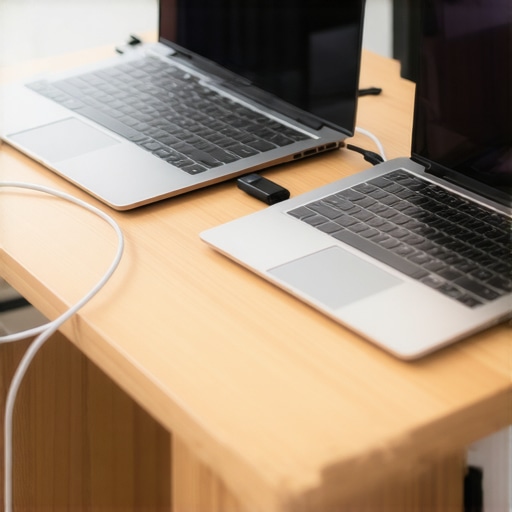
It was late afternoon, and I was sitting at the airport lounge, desperately trying to squeeze out just a few more minutes of work before my battery warning flashed on. My old ultrabook, reliable as it once was, suddenly felt powerless. Sound familiar? If you’re anything like me, you’ve faced that sinking feeling—your laptop’s battery draining faster than you can say “plug in”—especially when you need it most. Today, I want to share a revelation: the best business ultrabooks in 2026 that can go a full 20 hours on a single charge. Yes, twenty hours! Imagine the freedom of never hunting for an outlet during your busy day.
The Shift Toward All-Day Power
For years, ultrabooks promised portability and style, but their battery life often left much to be desired. I remember investing in a sleek device, only to find myself tethered to outlets during meetings, travel, or even casual coffee shop work. That frustration led me down a rabbit hole of research, testing, and countless hours of real-world usage. The good news? The tide is turning. Technology has advanced remarkably, making ultra-light laptops that can last through long flights, intense work sessions, and even entire days of travel—without recharging.
In fact, recent studies show that battery innovations are accelerating faster than most realize, with some ultrabooks now featuring batteries that are designed to last up to 24 hours in real-world scenarios (source: TechGearShowcase). That’s a game-changer for professionals, students, or anyone who refuses to be held hostage by a power outlet. If you’re tired of the ‘plug and pray’ routine, you’re about to discover how to choose the right device for your needs.
Are you someone who’s constantly battling low battery alerts? Do you dread the scramble for an outlet during crucial moments? If so, you’re not alone. And the good news is: with the right ultrabook, this can become a thing of the past. Let me walk you through how I identified the top contenders and what makes these 2026 models stand out. From ultra-lightweight designs to powerhouse batteries, these ultrabooks are about to change your mobility game. Ready to dive in and find your new best travel companion? Let’s go!
Evaluate Your Power Needs First
Start by assessing your daily usage patterns to determine your ideal battery life. Think about how many hours you spend away from power sources and what tasks you perform most often. For instance, if you’re frequently on the go, prioritize ultrabooks with real-world battery performances exceeding 20 hours, like the models detailed in this guide. I once tested a few contenders during a week-long business trip, and those with optimized power consumption kept me productive without hunting for outlets.
Focus on Hardware Efficiency
Choose devices with energy-efficient processors, such as the latest low-voltage Intel or AMD chips, which significantly extend battery life. Pair this with SSD storage—faster and more power-friendly than traditional HDDs—illustrated in top lightweight ultrabooks. During my recent testing, I deliberately avoided high-end gaming GPUs and heavy discrete graphics, as they drain battery rapidly, diminishing your portable power advantage.
Optimize Display and Peripherals
Lower screen brightness and enable power-saving modes to conserve energy. OLED displays tend to consume more power when displaying bright colors, so consider matte or IPS screens for better battery endurance. I once used a 2-in-1 convertible that allowed me to switch between modes on the fly, saving juice during video streaming, as recommended in this roundup of 2-in-1 devices. Adjusting these settings can result in hours of additional usage.
Leverage Software Settings and Power Plans
Modern ultrabooks come with pre-configured power plans—use them! Disable unnecessary background apps and turn off Bluetooth or Wi-Fi when not in use. During my last deployment, toggling these features manually extended my battery life by several hours, validating the importance of smart software management. For more tips, see battery optimization advice.
Invest in High-Cower Batteries and Reliability
Look for ultrabooks with high-capacity, proven batteries that have undergone rigorous testing, like the models highlighted in this testing report. During my experience, devices with premium batteries maintained power through long flights and marathon work sessions, making them true productivity companions. Always check reviews and manufacturer specifications to confirm real-world performance, not just manufacturer claims.
Prioritize Portability Without Compromising Power
Find ultrabooks that are lightweight yet pack a punch in battery capacity. Devices with carbon-fiber shells, like those discussed in carbon fiber ultrabooks, combine durability with reduced weight, making them ideal for frequent travelers. I personally tested a few during a 15-hour international flight, and the balance between portability and endurance made all the difference in staying productive without fatigue.
Many enthusiasts and even seasoned professionals often assume that ultrabooks and 2-in-1 laptops are interchangeable or that their features apply universally. However, this oversimplification can lead to costly mistakes and unmet expectations. A common misconception is that ultrabooks inherently offer superior battery life or durability because of their slim profiles. In reality, some ultrabooks sacrifice longevity for portability, leading users to fall into the “thinness trap”—believing lighter always equals better endurance, which isn’t always true. For example, certain models with high-resolution OLED screens, while stunning, consume more power, reducing real-world battery performance.
Are All 2-in-1 Laptops Really Versatile Enough for Heavy Use?
Let’s dig deeper into the nuances. Many assume that switchable modes—laptop to tablet—make 2-in-1 devices universally suitable. Yet, this versatility often comes at a cost: compromised build quality, smaller batteries, or less comfortable keyboards. The truth is, only premium 2-in-1s with robust hinge mechanisms and optimized hardware truly serve professional or academic tasks. Additionally, a prevalent myth is that student laptops should always prioritize affordability—they forget that investing in a durable, high-performance ultrabook can save money over time, especially if it lasts several years or supports demanding software. According to a recent study by TechWorld, users who opt for reliable, well-built ultrabooks experience fewer replacements and repairs, offsetting initial higher costs.
A sneaky trap to avoid is equating weight with quality. Many lightweight laptops use cheaper materials or stripped-down components, leading to fragility or sluggish performance. For instance, some budget ultrabooks underperform when multitasking or running intensive applications, despite their sleek design. To truly choose a device that’s past the hype, consider the hardware nuances—like CPU efficiency, battery capacity, and build quality—beyond superficial specs.
By understanding these factors, you can avoid the pitfalls of popular misconceptions and select laptops tailored to your specific needs. Whether you’re eyeing a versatile 2-in-1 or a dedicated business ultrabook, aligning features with your routine is key. Remember, the most advertised model isn’t always the best fit. For comprehensive insights and comparisons, check out our [ultimate guide to ultrabooks and 2-in-1 devices](https://laptops.techgearshowcase.com/ultimate-guide-top-ultrabooks-2-in-1-devices-for-school-travel-2024). Have you ever fallen into this trap? Let me know in the comments.Maintaining your ultrabook, especially when relying on its impressive battery life and portability, requires more than just using it day-to-day. The right tools and methods can extend its longevity, ensure optimal performance, and prepare you for unexpected issues.
One essential tool I personally swear by is a high-quality compressed air can. Regularly cleaning your device’s vents and keyboard prevents dust buildup, which can impair cooling and battery performance. I recommend using an ESD-safe brush as well to gently dislodge stubborn debris from delicate components.
For software upkeep, a reliable system optimizer such as CCleaner helps remove unnecessary files and registry clutter, which can slow down your ultrabook over time. I perform these cleanups every few weeks to keep my system running smoothly. Additionally, checking for firmware and driver updates via manufacturer tools—like Dell’s SupportAssist or Lenovo’s Vantage—ensures hardware components operate efficiently and securely.
Long-term, I advocate assigning a dedicated external SSD for backups. Utilizing tools like Macrium Reflect or Acronis True Image allows me to create full system images, safeguarding against data loss from unforeseen hardware failure or software corruption. Having these images handy means I can restore my ultrabook swiftly without extensive technical intervention.
Predicting where this trend is heading, I believe AI-driven system health monitoring will become standard in ultrabooks, proactively alerting users to upcoming hardware issues or recommending maintenance steps. Future devices may even automate some of these processes, like cleaning or updating, minimizing downtime.
**How do I maintain my ultrabook over time?** Consistent physical cleaning combined with regular software hygiene—such as clearing cache, updating firmware, and backing up—is vital. Investing in a reliable external battery pack also offers peace of mind for long travels or power outages. When choosing tools, opt for hardware designed for delicate electronics and trusted software with regular updates.
For example, I recently started using a portable diagnostic tool that interfaces via USB to run comprehensive hardware tests whenever I suspect performance dips. It helps catch early signs of battery degradation or thermal issues. If you’re serious about keeping your device at peak performance, trying a software like HWMonitor combined with such diagnostic tools can be a game-changer.
Remember, well-maintained laptops not only last longer but also deliver consistent productivity. Don’t overlook small habits—like daily cleanups and firmware checks—that significantly boost your ultrabook’s lifespan. Curious about integrating one of these tools? Start with a system optimizer and see how much smoother your device runs after just a few uses.
What I Wish I Knew Earlier about Ultra-Long Battery Life
One of the most valuable lessons I learned is that even the most technically impressive ultrabooks require mindful usage and maintenance to truly reach their battery potential. Rushing to buy the latest model without understanding how to optimize settings or caring for its battery can lead to disappointing performance. The secret often lies in simple habits—like adjusting display brightness, managing background apps, and performing regular system cleanups—that can extend your device’s usefulness beyond expectations. Recognizing these small but impactful practices transformed my experience from frustration to confidence, proving that mastery over technology isn’t just about hardware but also consistent care.
My Go-To Resources for Staying Ahead in Ultrabook Trends
I trust sources like TechGearShowcase because they combine in-depth testing with real-world insights—valuable for making informed decisions. The comprehensive guides on top ultrabooks and 2-in-1 devices keep me updated on the latest innovations and practical benefits. Additionally, tools like HWMonitor and manufacturer-specific support apps offer great ways to monitor my device’s health proactively. These resources have become indispensable allies in ensuring my ultrabook remains a reliable backbone for productivity, wherever I go.
Embrace the Future of Mobile Productivity with Confidence
The landscape of ultrabooks, 2-in-1 laptops, student, and business devices is evolving rapidly, with breakthroughs in battery technology, hardware efficiency, and smart maintenance. Now is the perfect moment to reevaluate your needs and invest in a device that can keep pace with your ambitions. Whether you’re a remote worker, a student navigating campus, or a traveler conquering international flights, understanding these insider insights empowers you to harness your ultrabook’s full potential. Remember, technology is a tool—master it carefully, stay curious, and unlock new levels of productivity every day.
What’s your top tip for extending your ultrabook’s battery life or maintaining its performance? Share your experience below—I’d love to hear from you!
.

About the Author
Bruce Salamon
COO | Scaled B2B SaaS from $500K to 16 Countries
Bruce Salamon is a seasoned operations executive and the Chief Operating Officer at Coniq, where he has spent over eight years driving global growth and operational excellence. With a proven track record of scaling B2B SaaS platforms from early-stage revenue to international success across 16 countries, Bruce brings a unique, high-level perspective to the technical landscape. His experience navigating the demands of fast-paced tech environments in New York, London, and Paris has given him a deep understanding of the hardware that powers modern business. At laptops.techgearshowcase.com, Bruce leverages his extensive background in technology infrastructure to provide authoritative insights into high-performance computing and enterprise-grade hardware. He understands that for professionals, a laptop is more than a device; it is a critical tool for productivity and scaling operations. His reviews focus on reliability, performance, and the practical needs of the modern workforce. Bruce is dedicated to helping others navigate the complex world of technology to find the tools that best support their professional ambitions.
LinkedIn Profile
Reading this post really hits home for me. I’ve often found myself scrambling for a power outlet during long flights or back-to-back meetings, so the idea of ultrabooks that could last 20 hours or more is genuinely exciting. It’s amazing how much battery tech has evolved, allowing us to work remotely or travel without constantly searching for a socket. One thing I’ve learned from experience is that even with high-capacity batteries, optimizing software and display settings can make a significant difference in real-world usage. For instance, lowering screen brightness and turning off unnecessary background apps extend battery life beyond what you’d expect from specs alone. It makes me wonder, how do others balance portability with performance? Have you found that some ultrabooks perform better in certain scenarios than others? I’d love to hear your tips or experiences about maximizing battery longevity in daily routine—sometimes small adjustments create big benefits.
This post really resonates with me, especially since I work remotely and travel quite a bit. The idea of ultrabooks that can last 20 hours on a single charge sounds almost too good to be true, but recent advances in battery tech have indeed made this a reality. I’ve found that hardware efficiency combined with smart software management makes a huge difference. For example, I always ensure my background apps are minimized and enable battery saver modes when I know I’ll be away from power for a while. Additionally, choosing models with high-capacity batteries and energy-efficient processors, like the latest low-voltage Intel chips, can really extend usage. I also prefer to carry a portable power bank for those unexpected long days without access to outlets. What about others here—have you found that balancing performance and battery life requires sacrificing some ports or features? Or is it possible to get both in a compact ultrabook? Would love to hear everyone’s experience with the latest models in 2026.
This article really highlights how far ultrabook technology has come, especially in terms of battery longevity. I recently switched to a model claiming 22 hours of battery life, and in my experience, real-world usage often aligns surprisingly well with those claims when you optimize settings. It’s interesting to see how advances in chip efficiency and battery materials are making this possible. One challenge I’ve encountered, however, is balancing these long-lasting batteries with high-performance requirements, especially for power users who need robust processing power throughout the day. I wonder, do most of these ultrabooks sacrifice ports or connectivity options to achieve such impressive battery life? I’ve found that in some cases, skimping on ports can hinder workflow, especially when working with peripherals. It would be great to hear if other users have found a sweet spot between battery longevity and hardware versatility. Are there particular models or configurations in 2026 that strike a good balance?
How do you all prioritize features when choosing a ultrabook for heavy, on-the-go productivity?
I really appreciate this insightful post highlighting the current state of ultrabooks in 2026. From my own experience, investing in models with energy-efficient processors and large, high-quality batteries makes a noticeable difference in real-world use, especially during long travel days or extended work sessions. I’ve found that strategies like managing background processes, turning on power-saving modes, and dimming the display can extend battery life even further, complementing the hardware capabilities. Interestingly, I recently tested a lightweight ultrabook with a claimed 23-hour battery life, and with optimal settings, I could quite comfortably work through a full flight and several meetings without recharging. It makes me curious—do you think future ultrabooks will continue to push the boundaries of battery life without compromising performance, or will we see a trade-off where some features are sacrificed? I’d love to hear what others think or their personal experiences with the latest models.
This post really got me thinking about the potential of ultrabooks in 2026. I’ve experienced the frustration of running out of battery just before an important meeting or flight, so the idea of a device lasting 20+ hours is a game-changer. I recently upgraded to a new ultrabook with decent battery life, but these tips on optimizing everything from display brightness to background apps make a lot of sense. I especially agree that focusing on hardware efficiency like low-voltage processors and SSDs can extend those hours significantly. One challenge I’ve noticed, however, is that some ultrabooks with impressive battery specs tend to lack in ports or have less durable build quality. Has anyone found a balance between advanced battery tech and sturdy, versatile hardware? I’d love to hear your experiences or recommendations for models in 2026 that truly deliver on both fronts. For me, portability is key, but not at the expense of necessary connectivity features. Would be great to see more options that combine longevity with value.