
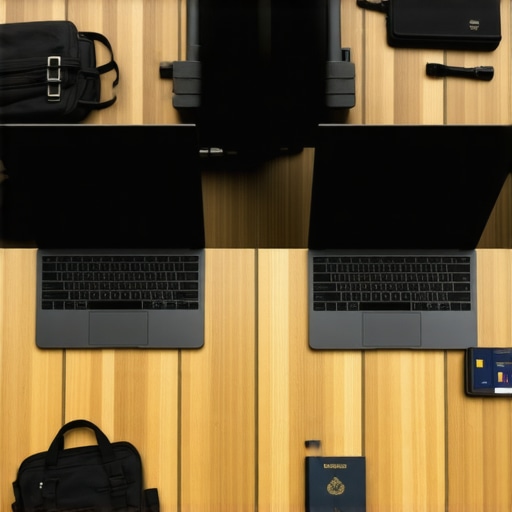
It was on a long-haul flight when I realized my trusty laptop was more of a burden than a tool. The sluggish performance, bulky design, and fragile battery life turned my productive journey into a frustrating ordeal. That lightbulb moment made me rethink the entire approach to choosing my business laptop for frequent travel.
The Search for the Ideal Business Laptop for Frequent Travelers Starts Here
Traveling often means carrying your office in your bag. The wrong device can slow you down, cause stress, and even impact your professional image. I’ve been there—struggling with laptops that just don’t keep up with the demands of constant movement. Whether it’s the need for durability, portability, or long battery life, finding the right fit is crucial. Today, I’m here to share my experience and insights to help you avoid the same pitfalls. We’ll explore what makes a laptop truly travel-friendly, review top contenders, and give you practical tips on choosing the best device for your busy schedule. My goal is to make your search smoother and less overwhelming. Have you ever faced the dilemma of choosing a laptop that can survive your hectic travel schedule? Well, you’re not alone. Early in my journey, I made the mistake of prioritizing specs over portability, ending up with a heavyweight that limited my mobility. But with time and trial, I discovered key features that truly matter for travelers—think lightweight design, rugged build, and fast performance. If you want to skip the trial-and-error phase and jump straight to the best options, I’ll guide you through my findings on some of the most reliable and efficient laptops for traveling professionals. From ultrabooks to 2-in-1 convertibles, I’ll cover devices that combine durability and power without sacrificing portability. Ready to find your perfect travel companion? Let’s dive into what truly makes a business laptop exceptional for those on the go.
Focus on Your Core Needs
Start by listing essential features: lightweight design, durability, battery life, and performance. Think of it as designing a custom suit; each detail must match your body and lifestyle. I once needed a laptop for a week-long conference, and I prioritized battery and portability. I chose a sleek ultrabook, and it kept me powered and mobile, proving that knowing your essentials guides smart choices.
Evaluate Portability with Practice
Before buying, carry the device around your home or office for a day. This helps gauge real-world comfort. I remember testing a 2-in-1 convertible, juggling it in my bag and using it on the couch. It was awkward at first, but I quickly determined its weight and hinge strength. This firsthand experience prevents surprises when you’re on the move.
Prioritize Durability and Build
Opt for laptops with reinforced chassis or tested ruggedness, especially for frequent travel. Consider materials like aluminum or carbon fiber. I once traveled with a magnesium-alloy laptop that withstood a sudden drop in transit, saving me from costly repairs. Look for reviews that mention build quality, or check certifications from rugged device reviews.
Test Battery Life Under Real Conditions
Simulate your typical usage, such as streaming, typing, or video calls. Use your favorite apps and set brightness at your usual level. During a trip, I ran a battery test by editing documents and browsing, discovering that some ultrabooks lasted over 12 hours—perfect for long flights without power outlets. Never rely solely on manufacturer stats; real-world testing reveals true endurance.
Compare 2-in-1 Versus Traditional Laptops
Decide if a convertible or detachable device suits your workflow. Convertibles like these versatile laptops allow switching between tablet and laptop modes, ideal for presentations or note-taking. I used a 2-in-1 on a train, swiftly switching to tablet mode for reading. It enhanced my mobility and efficiency, but ensure the hinge quality and screen stability meet your needs.
Assess Performance and Compatibility
Choose CPUs and RAM that match your tasks—office work, multi-tab browsing, or content creation. For complex tasks, opt for at least an Intel Core i5 or AMD Ryzen 5, with 8GB RAM; for light use, a lower spec suffices. I found that a mid-range ultrabook handled my email, spreadsheets, and occasional video calls seamlessly, avoiding lag and frustration during critical moments.
Check Reviews and User Feedback
Read real user experiences on sites like these review guides. They reveal common issues or advantages not apparent in specs sheets. When I researched, user feedback highlighted keyboard comfort and thermal management—critical for working on the go—helping me select a model that wouldn’t cause discomfort after hours of use.
Balance Cost with Features
Set a budget but remember that quality budgets often outperform cheaper options. Prioritize features that impact mobility and durability most. I once spent a little extra on a certified refurbished ultrabook, which proved reliable and long-lasting, saving me money and stress. Consider warranty and after-sales support as part of the value.
Prepare for Security and Software Compatibility
Ensure your laptop supports necessary security features and software. Business travel demands protection against theft and data breaches. I once configured biometric login and remote wipe capabilities, which provided peace of mind when my device was out of sight. Verify compatibility with your work tools before committing.
Test and Fine-Tune After Purchase
Once you have the device, customize settings: power modes, sleep timers, and performance profiles. Test in environments similar to your travel routine. I adjusted power settings during a trip, disabling unnecessary background processes, which significantly extended battery life. Small tweaks can optimize your experience remarkably.
Many assume that selecting a business laptop or ultrabook is mainly about specs like processor speed or battery life, but there’s a deeper layer of nuance that often goes unnoticed. For example, a common myth is that ultralight devices sacrifice durability; in reality, modern manufacturing techniques and materials like carbon fiber have made it possible to have lightweight laptops that withstand the rigors of travel (check out these durable ultrabooks). However, a frequent mistake is underestimating the importance of thermal management. Overlooking this factor can lead to overheating, reduced performance, and even hardware failure, especially during intensive tasks or prolonged use. Advanced users should consider not just the specs but also reviews citing thermal performance—something that standard benchmarks often miss.
What makes a 2-in-1 device truly versatile for professionals versus casual users?
The fallacy here is believing all 2-in-1 laptops serve the same purpose. In truth, business and student 2-in-1s vary significantly in build quality, hinge durability, and software optimization. For instance, some models may be marketed as versatile but feature weak hinges or unstable screens, which becomes frustrating during extended use or when frequently switching modes (see top-rated 2-in-1 reviews). Advanced users should examine hinge quality and user feedback more than just specifications.
Another often-overlooked aspect is the specifics of software compatibility. Many assume that any ultrabook or 2-in-1 will effortlessly run enterprise applications or specialized software, but hardware configurations and OS optimizations can significantly impact performance. For example, certain enterprise security tools require specific hardware-level features—failing to verify this can compromise security or cause compatibility issues. According to a study by Gartner, compatibility problems are among the top overlooked risks when choosing new tech devices (Gartner’s insights on hardware-software compatibility). As such, always verify with your IT department or software providers before making a purchase.
Finally, many underestimate the importance of user ergonomics and input comfort, especially for those working long hours. A lightweight device is fantastic until its keyboard and trackpad cause strain. Professional-grade ultrabooks and business laptops often incorporate ergonomic keys and high-quality touchpads, but these details can be overlooked when focusing solely on raw specs. For instance, some ultrabooks offer quiet, responsive keyboards—crucial for maintaining productivity during lengthy sessions (see our list of silent ultrabooks).”
In conclusion, understanding these nuances helps you make informed decisions that go beyond superficial specs. Don’t fall into the trap of believing that all ultrabooks or 2-in-1s are created equal; instead, dig into build quality, thermal management, software compatibility, and ergonomic design. Doing so ensures your device truly meets the demands of your professional or academic life, especially when portability and durability are non-negotiable. Have you ever fallen into this trap? Let me know in the comments.
Tools I Recommend for Long-Term Reliability
To keep your business laptop performing optimally over time, investing in the right tools and practices is essential. Personally, I rely on a combination of hardware maintenance devices like the Kleiber’s Laptop Battery Tester, which helps me monitor battery health and prevent unexpected failures before crucial meetings. Additionally, I use CCleaner for regular software cleanup, ensuring unnecessary background processes don’t slow down my device, especially after intensive tasks.
Software-wise, I swear by Malwarebytes Premium, offering real-time protection against emerging threats, which is crucial when you’re frequently on public Wi-Fi. For backups, I trust Resilio Sync to securely and efficiently synchronize important files across devices without relying on cloud services that might compromise sensitive data. These tools have become integral parts of my routine, extending my laptop’s lifespan and maintaining its responsiveness.
Develop Good Habits for Consistent Performance
Beyond tools, cultivating habits is key. I schedule weekly hardware checks to clean dust from vents and ensure fans operate smoothly—preventing overheating and thermal throttling, which can hamper performance. Using a cooling pad during prolonged work sessions is another tactic I swear by, especially on ultrabooks and 2-in-1 devices where thermals can be tight.
Implementing regular software updates is vital too; I always enable automatic updates for my OS and critical applications. This practice patches vulnerabilities and optimizes system efficiency, which is crucial given the rapid evolution of cybersecurity threats and software demands. Remember, the longevity of your laptop depends heavily on proactive maintenance rather than reactive fixes.
Plan for Future Upgrades and Scaling
Thinking ahead means considering hardware upgrades—like increasing RAM or swapping out storage to SSDs—if your device supports it. For instance, upgrading to a solid-state drive can dramatically improve boot times and file access, especially if your current setup is bogged down. I also keep an eye on upcoming hardware trends; for example, the transition to PCIe 4.0 SSDs offers significant performance gains that can breathe new life into an aging device.
Looking forward, I predict that as laptops become more advanced, integrated software solutions like AI-driven diagnostics will enable even more precise maintenance alerts, helping users prevent issues before they occur. Embracing these innovations early can save time and money, making long-term laptop care more accessible for everyone.
How do I maintain my device over time
An often-overlooked aspect is establishing a routine check-up schedule. I recommend setting monthly reminders to run hardware diagnostics, clean vents, and verify backups. Don’t forget to review your security settings periodically, especially after updates or security patches. Implementing automatic monitoring tools, such as HWMonitor or SpeedFan, can provide real-time insights into thermal performance and hardware health, empowering you to act promptly before minor issues escalate.
Try integrating these maintenance practices into your workflow, and you’ll notice your device remaining reliable longer. Remember, proactive maintenance is the cornerstone of sustaining peak productivity, especially when your business relies on a portable, robust laptop. Are you ready to give your device the regular care it deserves? Start by using hardware diagnostic tools today to catch potential problems early—your future self will thank you.
Lessons Hidden in the Details That Few Share
One of the most eye-opening lessons I learned is that a laptop’s durability isn’t just about material choice; it’s about construction and manufacturing precision. I once dismissed hinge quality, only to find my device failing during a critical trip. The importance of thermal management became clear when I overlooked it and faced performance throttling on a hot day—something specs alone don’t reveal. The biggest lightbulb moment? Real-world testing surpasses lab benchmarks. Carrying a device and simulating actual usage uncovers flaws that reviews miss, saving you time and stress.
Another insight is how user ergonomics, like keyboard comfort and weight distribution, drastically impact long-term productivity—something manufacturers often overlook. I discovered that a lightweight ultrabook with a comfortable keyboard kept me energized through long work sessions, proving that thoughtful design makes all the difference. Lastly, I learned that software and hardware must be a seamless team; compatibility issues that seem minor can derail your workflow, emphasizing the need for careful validation before investing.
Tools and Resources That Changed My Approach
I’ve come to rely on specific tools that help me maintain peak performance. For battery health monitoring, I trust these durable ultrabooks, which combine longevity with portability. For system cleanup and malware protection, I use these lightweight, powerful software options, ensuring my device stays fast and secure. I also turn to online reviews and expert blogs, like our comprehensive guides, to stay ahead on the latest in ultrabook technology, helping me select devices that won’t let me down when it matters most.
Your Next Step Can Transform Your Mobile Productivity
Embracing these insights and tools will empower you to choose and maintain the perfect business laptop or ultrabook for your unique travel needs. Don’t just settle for specs; look into real-world performance, ergonomic comfort, and build quality. Remember, your device is more than just a tool—it’s an extension of your professional identity on the move. Are you ready to upgrade your mobile office and unlock new levels of productivity? If you found this guide helpful, consider sharing your experiences or questions below—I’d love to hear your journey to the perfect travel companion.

About the Author
Bruce Salamon
COO | Scaled B2B SaaS from $500K to 16 Countries
Bruce Salamon is a seasoned operations executive and the Chief Operating Officer at Coniq, where he has spent over eight years driving global growth and operational excellence. With a proven track record of scaling B2B SaaS platforms from early-stage revenue to international success across 16 countries, Bruce brings a unique, high-level perspective to the technical landscape. His experience navigating the demands of fast-paced tech environments in New York, London, and Paris has given him a deep understanding of the hardware that powers modern business. At laptops.techgearshowcase.com, Bruce leverages his extensive background in technology infrastructure to provide authoritative insights into high-performance computing and enterprise-grade hardware. He understands that for professionals, a laptop is more than a device; it is a critical tool for productivity and scaling operations. His reviews focus on reliability, performance, and the practical needs of the modern workforce. Bruce is dedicated to helping others navigate the complex world of technology to find the tools that best support their professional ambitions.
LinkedIn Profile