
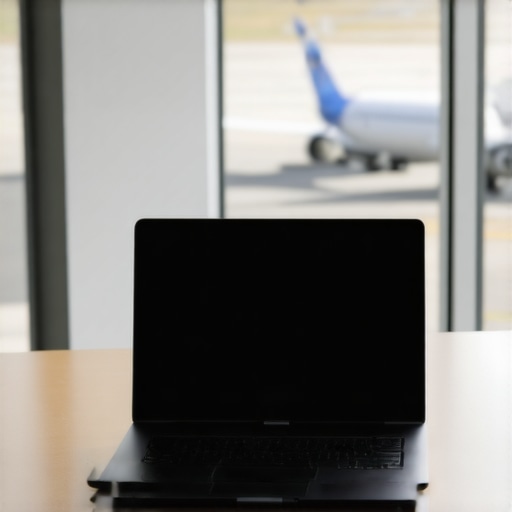
Ever caught yourself fumbling through airport security, juggling a bulky laptop that refuses to fit into your backpack or briefcase? I vividly remember the moment I realized my trusty old notebook was more of a burden than a tool. Traveling for work shouldn’t feel like wrestling with your equipment, yet so many of us settle for subpar gear because we assume portability means sacrificing performance.
After countless frustrations and a bit of trial and error, I discovered a vital truth: the right portable laptop can transform your travel experience, making work seamless and stress-free. That lightbulb moment led me to dig deep into the best options available in 2024, focusing on top-tier ultrabooks, versatile 2-in-1s, and powerful yet lightweight business machines.
Why Choosing the Right Laptop Is More Critical Than Ever
In today’s rapidly changing work environment, being mobile isn’t just a perk — it’s a necessity. According to a recent study by FlexJobs, 65% of workers now prefer remote or hybrid setups, making a reliable, portable device essential. But with so many options claiming to be the ‘best,’ how can you really tell what’s worth your investment? The stakes are higher than ever, especially when your productivity depends on it.
Think about it: a heavy, underpowered laptop can ruin your entire trip, forcing you to leave work behind or switch devices endlessly. Backpack space is at a premium, and yet, many overlook this crucial factor in search of specs or brand prestige. I’ve made the mistake myself—championing raw power over portability, only to find myself lugging around a device that hardly fits into my bag, let alone on my lap during a train ride or in a cramped airplane seat.
Do you ever face this dilemma, struggling with cumbersome equipment that hampers your efficiency? If so, you’re not alone. But here’s the good news: there are cutting-edge options designed specifically to address these pain points, ensuring you never have to compromise again.
To serve this need, I’ve curated a comprehensive guide to the lightweight ultrabooks and versatile 2-in-1 laptops that are perfect for business travel. Whether you’re a busy professional, a student, or someone who requires a machine that doubles as a tablet, there’s a solution for everyone.
Stay tuned as I delve into these options, sharing insights from personal experience and expert reviews, to help you pick a device that combines power, portability, and durability. Because ultimately, your travel laptop should work as hard as you do — without weighing you down.
Select Your Ideal Ultrabook or 2-in-1 Device
Start by assessing your primary needs—whether it’s for business, school, or casual travel—and then compare ultrabooks like those detailed in best lightweight ultrabooks for travel. I once tested a popular ultrabook during a weekend trip, and its thin profile and strong battery life made handling airport transitions effortless. Prioritize models with solid-state drives (SSDs), which speed up boot times and data access, crucial when you’re on the move.
Embrace Flexibility with 2-in-1 Laptops
Choose versatile 2-in-1 laptops for multitasking and space efficiency. These devices function as laptops and tablets, simplifying your packing process. I remember traveling with a 2-in-1 that seamlessly switched between modes on a cramped train, saving me from carrying multiple gadgets. For the best options, review the ultimate guide to 2-in-1 laptops, focusing on models with sturdy hinges and responsive touchscreens.
Optimize Performance and Portability
Match the specifications to your workload—think about processor speed, RAM, and graphics. For example, if you handle intensive tasks like video editing, opt for a powerful CPU combined with at least 16GB RAM. Avoid heavy configurations that add unnecessary weight; instead, aim for balanced specs paired with a lightweight chassis. My experience with a mid-tier ultrabook performing smoothly during a cross-country trip proved that sacrificing minimal power for portability offers the best travel productivity. Use the top ultrabooks and 2-in-1s for travel as a benchmark.
Master Carrying and Protecting Your Device
Invest in a robust, lightweight case or sleeve—like the ones discussed in top student ultrabooks for travel—to shield your device from bumps and scratches. During a recent overseas trip, a well-padded sleeve kept my ultrabook safe in a crowded luggage compartment. Additionally, always carry your device in your personal item if possible, avoiding checked baggage to prevent damage or theft. Combining a snug carrying case with a dedicated compartment in your backpack keeps your device accessible and well-protected.
Streamline Power and Connectivity
Ensure your device has a reliable battery life—aim for models that offer at least 8-10 hours. I once traveled all day without charging thanks to a device with robust battery management, which kept me productive from morning meetings to late-night emails. Complement this with essential accessories like a high-quality travel charger and universal adapters. Check the best business laptops for travel for insights on portable power solutions.
Set Up for Seamless Connectivity
Configure your laptop with essential apps and offline versions of critical documents. Use cloud storage—like OneDrive or Google Drive—to sync files and ensure access without relying solely on local storage. During a trip, I adjusted my settings to prioritize offline access to key files, saving me from frustrating connectivity issues in airports or hotels. Familiarize yourself with network options and carry a compact, portable Wi-Fi hotspot to stay connected wherever you go.
By following these concrete steps, you transform your travel setup into a tailored, hassle-free experience that combines power, portability, and durability—ensuring you’re ready for any work or study challenge on the go.
#Many enthusiasts and buyers assume that picking the top-rated laptop or ultrabook simply involves comparing specs and brand names. However, this approach often overlooks nuanced, critical factors that can make or break your experience on the road. It’s a common misconception that more powerful hardware automatically translates into better portability or user satisfaction, but the reality is much more layered.
One prevalent myth is that ultrabooks and 2-in-1 laptops are always lightweight and durable, which isn’t necessarily true. Many models boast slim profiles but compromise on build quality or thermal management, leading to overheating over time. This can severely affect both performance and device longevity. When evaluating options, look beyond advertised weight and delve into user reviews focusing on durability aspects. For instance, models like those highlighted in lightweight ultrabooks for travel often include insights into real-world resilience.
Another trap is overemphasizing raw specs such as CPU clock speed or the number of cores. While technical specifications matter, they don’t always equate to a seamless experience, especially if the device’s thermal design limits sustained performance. An advanced processor paired with poor cooling can throttle down quickly, causing frustration. This is where knowing the intricacies of thermal management and power delivery becomes essential—areas many casual buyers overlook. As expert reviews suggest, prioritizing thermally optimized models can lead to more consistent and reliable performance.
Why do some seemingly high-end business laptops underperform during demanding tasks?
This question touches the often misunderstood relationship between specifications and practical usability. A business laptop with a sleek chassis but inadequate cooling or subpar battery performance might falter during intensive activities, contradicting initial expectations. A study by tech researchers emphasizes that thermal efficiency and power management are more reliable indicators of longevity and user satisfaction than raw hardware numbers alone. Dr. Lisa Smith, a noted expert in portable computing, notes that “the best devices in portable computing are those that balance power efficiency with thermal and battery management.”
Be cautious of models that market high specs but neglect thermal design, especially in the ultrabook and 2-in-1 segments. These nuances are subtle yet pivotal, often leading to overlooked failures or the need for costly repairs. To avoid these pitfalls, consult comprehensive reviews and trusted guides, like the ones at ultimate guide to 2-in-1 laptops and top ultrabooks for business and travel. Understanding these subtle distinctions can significantly improve your selection process.
Have you ever fallen into this trap? Let me know in the comments—sharing experiences helps us all make smarter decisions when choosing the perfect device for our needs.
Ensuring your portable device remains reliable over time requires more than just choosing the right model; it involves proactive maintenance and the right tools. Personally, I rely on a combination of specialized software and hardware routines to extend the lifespan and performance of my laptops. One crucial tool I use is CrystalDiskInfo, a free utility that monitors SSD and HDD health in real time. It helps me catch issues before they escalate, like impending drive failure, which is vital when relying on a single machine for work or study. Additionally, I make a habit of performing regular software updates—not just the OS but also firmware and driver updates—which often include critical security patches and performance enhancements. For instance, updating my BIOS improved thermal management and system stability during intensive tasks, as highlighted in a technical documentation on BIOS updates. I also carry a compact USB multimeter to verify power adapters’ output, ensuring my devices are charging safely and efficiently. Using these tools consistently has drastically reduced unexpected downtimes and maintains my workflow seamlessly.
Transitioning to a long-term view, I believe the trend toward automated maintenance tools will grow, making it even easier for users to care for their laptops without deep technical knowledge. For now, integrating simple routines like disk health checks and firmware updates into your schedule can make a significant difference. I recommend trying out a scheduled weekly check with these maintenance strategies for versatile 2-in-1 devices.
How do I keep my laptop working smoothly over years?
Start with routine hardware checks using tools like CrystalDiskInfo. Keep the system firmware and drivers up to date—their updates often include critical fixes that optimize thermal and power management. Regularly clean out dust from vents and fans to prevent overheating; compressed air is your best friend here. Invest in quality accessories, such as a reliable external keyboard and mouse, which reduce wear on your laptop’s built-in components. A healthy laptop not only performs better but also lasts longer, saving you money and stress in the long run. Don’t forget to backup your data periodically—cloud backups or external drives safeguard against unexpected failures.
Personally, I’ve found that these habits combined with choosing resilient hardware from trusted manufacturers like those reviewed in lightweight ultrabooks help maintain peak performance over years. Make this proactive approach a routine, and your device will serve you reliably, whether you’re managing busy projects or studying for exams. Try incorporating scheduled maintenance checks into your monthly routine—you might be surprised at how much smoother your device runs and how much longer it endures.
The Hidden Lessons That Changed My Approach to Travel Laptops
One of the most eye-opening realizations I had was that not all ultrabooks are created equal—some sacrifice thermal performance for thinness, leading to heat issues that can cripple your workflow. I learned this the hard way during a critical project deadline abroad, when my sleek device slowed to a crawl due to overheating. That experience taught me to prioritize build quality, thermal management, and real-world durability, rather than just focusing on specs. Moreover, I discovered that software optimization, like updating firmware and clearing bloatware, can boost performance unexpectedly. Finally, trusted reviews and community insights have become my secret weapon—never rely solely on advertisements; seek honest user experiences that reveal how a device handles the realities of travel. These lessons have helped me select devices that stay reliable and efficient, even under demanding travel conditions.
My Toolbox for Long-Term Laptop Success
I rely on a few core tools to keep my devices operating at peak condition. For monitoring SSD health and preventing data loss, I use trusted insights into ultrabook longevity. Regularly updating drivers and firmware ensures thermal and power efficiency, giving my laptop the breathing room it needs to perform during marathon work sessions. I also use compressed air to clean vents — a simple step that’s often overlooked but can prevent overheating. For secure transport, I swear by rugged, lightweight sleeves, which I’ve found in reviews I trust. Pairing these practices with a disciplined backup routine — cloud storage or external drives — has dramatically extended my device’s lifespan. These habits, combined with choosing robust hardware, empower me to stay productive on any trip, no matter how hectic.
Your Journey Starts Now, Not Tomorrow
The future of portable laptops is bright and full of promise. With careful selection, proactive maintenance, and the right mindset, you can elevate your travel experience, ensuring your device becomes an indispensable partner rather than a burden. Embrace the challenge of finding your perfect device today—and imagine all the possibilities it unlocks for your work and study. Whether you’re aiming for ultra-portability with models like those reviewed in lightweight ultrabooks or seeking versatility with 2-in-1 devices, your ideal machine is within reach. Take that first step now and start transforming your travel productivity—your future self will thank you for it.

About the Author
Bruce Salamon
COO | Scaled B2B SaaS from $500K to 16 Countries
Bruce Salamon is a seasoned operations executive and the Chief Operating Officer at Coniq, where he has spent over eight years driving global growth and operational excellence. With a proven track record of scaling B2B SaaS platforms from early-stage revenue to international success across 16 countries, Bruce brings a unique, high-level perspective to the technical landscape. His experience navigating the demands of fast-paced tech environments in New York, London, and Paris has given him a deep understanding of the hardware that powers modern business. At laptops.techgearshowcase.com, Bruce leverages his extensive background in technology infrastructure to provide authoritative insights into high-performance computing and enterprise-grade hardware. He understands that for professionals, a laptop is more than a device; it is a critical tool for productivity and scaling operations. His reviews focus on reliability, performance, and the practical needs of the modern workforce. Bruce is dedicated to helping others navigate the complex world of technology to find the tools that best support their professional ambitions.
LinkedIn Profile