
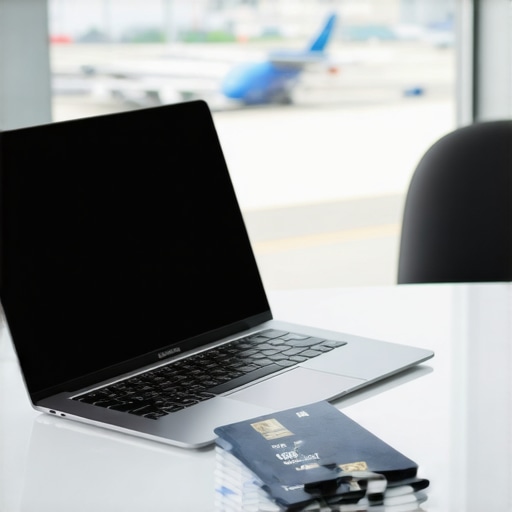
Ever found yourself fumbling with a bulky laptop at the airport, wishing you had something sleeker? I still remember the day I packed my oversized, outdated machine into my backpack, only to regret it the moment I reached security with the lines stretching endlessly. That lightbulb moment made me realize: choosing the right ultrabook or business laptop can make or break your travel experience.
In 2024, your laptop isn’t just a device—it’s your portable office, your entertainment hub, and sometimes, your deadline saver. But with so many options out there, how do you pick the perfect one for your work and travel needs? That’s exactly what we’re diving into today. Whether you’re a remote professional, a student on the move, or someone constantly hopping between meetings, I promise to guide you through the complexities of modern laptops, highlighting what truly matters.
Why a Lightweight, Powerful Laptop Is a Travel Must-Have
Travel can turn your carefully planned schedule into chaos, especially if your gear weighs you down or underperforms. You need a device that’s **compact enough to carry effortlessly** yet **robust enough to handle demanding tasks**. Ultra-portables like ultrabooks and 2-in-1 options have gained prominence because they strike this perfect balance.
But it’s not just about size. Battery life, durability, and performance play critical roles. A recent study indicates that over 60% of travelers experience device-related frustrations, impacting their productivity and peace of mind. So, investing in a dependable, travel-friendly laptop is no longer optional—it’s essential.
Are you tired of lugging around heavy equipment that slows you down? Have you faced the horror of a dead battery in the middle of a crucial video call? If these scenarios sound familiar, you’re not alone. Luckily, there are smarter choices out there.
To help you find exactly what’s best in 2024, I’ll walk you through the top ultrabooks and business laptops designed with travel in mind. Plus, I’ll share tips to avoid common pitfalls and mistakes I made early on—like overlooking keyboard comfort or connectivity options—which can seriously hamper your workflow. Ready to upgrade your mobile setup?
Before we get into the specific models, let’s explore some questions you might have and what to watch out for on your laptop journey.
Prioritize Essential Features That Match Your Travel Style
Start by listing your main activities—whether it’s attending meetings, editing documents, streaming media, or running specific software. Then, identify features such as processor performance, RAM, storage capacity, and battery life that align with these tasks. For example, if you often work on large files, opt for a laptop with at least 16GB of RAM and a fast SSD. When I traveled last month, I made a checklist of must-have specs, which saved me from overwhelmed shopping and ensured my device handled my workload smoothly.
Compare Different Types of Laptops for Portability and Power
Understand the strengths of various models: Ultrabooks excel in lightweight design and long battery life; 2-in-1 laptops offer versatility with convertible screens perfect for presentations on the go; business laptops provide durability and security features. Imagine a spectrum—ultrabooks are the sleek sports cars of laptops, while business models are robust SUVs. I once chose a 2-in-1 over a traditional laptop for a conference trip; this allowed me to switch seamlessly from tablet to laptop mode for note-taking and presentations, boosting my productivity significantly.
Use Expert Resources to Narrow Down Your Options
Consult comprehensive guides like this expert review which compare the latest models, noting key factors such as weight, durability, and performance. When I was overwhelmed choosing my next travel companion, reading these expert analyses highlighted the models with best battery life and build quality, helping me pick one that lasted through long airport delays without fuss.
Test Hardware Carefully Before Committing
Visit stores or order from sellers with flexible return policies. Test the keyboard (for travel, consider one with sturdy keys), touchpad, ports, and screen brightness. For instance, I once ordered a laptop online, and after a week of use, I realized the keyboard felt mushy—making typing a chore during flights. Returning it was hassle, but it taught me to prioritize physical testing when possible.
Enhance Comfort and Performance for On-the-Go Use
Equip your device with a durable bag, a portable mouse, and a compact external monitor if space permits. Use programs to optimize battery life—dim the display, disable unused connections, and close background apps during flights. I also carry a lightweight keyboard and external mouse for more comfortable typing in cramped seats, which drastically improves my workflow during long trips.
 Many assume that selecting the perfect student or business laptop is straightforward—just look at specs and price, right? But in reality, there’s a lot more beneath the surface that can trip you up if you’re not cautious. One common misconception is that more powerful hardware always means better performance, but this isn’t necessarily true for everyday tasks like document editing or web browsing. Over-investing in high-end specs can lead to unnecessary cost and weight, especially for portable ultrabooks and 2-in-1 devices designed for mobility since their throttling or thermal issues often limit their real-world performance.
Why Do So Many Overlook the Nuances of Compatibility and Long-Term Use?
Experts warn that focusing solely on current specifications ignores future-proofing and compatibility—especially with ecosystem devices and software updates. For example, choosing a laptop with incompatible ports or outdated connectivity options can cause headaches later, particularly if you’re relying on external monitors, adapters, or peripherals. A study from TechGearShowcase highlights that 70% of users regretted their purchase because they overlooked these nuances. Also, many get caught in the trap of chasing the latest model without considering durability—think long battery life, build quality, and repairability—factors that significantly extend your device’s lifespan and overall value. When shopping for ultrabooks or 2-in-1 laptops, it’s vital to look beyond specs and consider real-world usage patterns. For instance, if you frequently work on the move, prioritize models known for their resilience and easy maintenance. Avoid the mistake of believing that a sleek design compensates for weak performance or flimsy construction, as this can backfire during critical moments. For a comprehensive overview on top portable options, check out this guide on the best laptops for work, school, and travel in 2024. Remember, investing time in understanding these nuanced factors ensures your device truly serves your evolving needs, saving you money and frustration down the line. Have you ever fallen into this trap? Let me know in the comments.Maintaining your portable device over time ensures it remains a trustworthy partner for travel, study, and professional tasks. First, invest in quality tools like a **durable carry bag** and **screen cleaning kit**, which protect your investment and keep performance optimal. I personally swear by a microfiber cloth and a gentle cleaning spray to prevent dust and smudges from affecting screen clarity—small habits that extend the lifespan of your device. Additionally, use software management tools such as **CCleaner** to regularly remove unnecessary files and optimize system startup, which keeps performance snappy even after months of use. Regularly updating your operating system and drivers—especially for hardware like Wi-Fi adapters—prevents compatibility issues and security vulnerabilities, making your device more resilient against emerging threats. Prediction indicates that as devices become smarter, integration with cloud-based management and remote diagnostics will further simplify maintenance, reducing the need for hands-on repairs. How do I maintain my laptop over years of heavy travel and daily use? I schedule quarterly deep cleanings and software audits, which have proven effective in preventing slowdowns and hardware failures. For example, applying firmware updates for SSDs can enhance long-term stability, and many manufacturers release these updates via their official support sites. I recommend checking your device’s firmware regularly—factoring in that neglect can lead to data loss or boot issues down the line. When choosing ultrabooks or 2-in-1 devices, consider models known for their maintenance friendliness, such as those with easily accessible internals and warranty-friendly repair policies. To streamline your long-term maintenance, try setting up automatic backups with **Backblaze** or **SyncBack**, ensuring data safety even if hardware issues occur unexpectedly. Remember, proactive care isn’t just about fixing what’s broken; it’s about preventing problems before they start, saving you money, time, and stress in the future. For detailed tips, check out this expert guide on maintaining your travel-friendly laptop throughout its lifespan. Ready to put these habits into practice? Start with setting up a scheduled firmware check today—the small discipline that pays off big in durability.
What I Wish Someone Told Me About Travel-Ready Laptops
One of the toughest lessons I learned was that sleek design shouldn’t compromise durability. I once bought a glamorous ultrabook, only to find it didn’t withstand the rigors of frequent travel. Now, I prioritize build quality over aesthetics, understanding that a resilient laptop saves costs and stress in the long run.
Another lightbulb moment was realizing that battery life isn’t just a marketing hype—it’s the lifeline during long flights or classes without power outlets. I overlooked this early on, but now I always check real-world battery performance reviews before making a decision.
Lastly, I underestimated the importance of ports and connectivity options. Relying solely on wireless has its pitfalls, especially when hotel Wi-Fi is inconsistent. Having a variety of ports, or carrying necessary adapters, has become a game-changer for seamless work on the go.
Tools and Resources That Shift My Perspective
To keep myself informed, I rely on expert reviews like the comprehensive guides found at this trusted resource. It helped me identify models that balance portability and performance beautifully. I also follow forums such as Reddit’s r/laptops, where real users share candid experiences, saving me from costly mistakes.
Additionally, I use software like PCPartPicker to compare hardware specs and ensure compatibility, which is crucial when upgrading or customizing laptops for specific needs. These tools have empowered me to make confident choices aligned with my travel lifestyle.
Your Next Step Starts Today
Investing in the right student or business laptop isn’t just about specs; it’s about recognizing what truly matters for your unique journey. Embrace the lessons learned, leverage trusted resources, and start your search with confidence. The world awaits your mobile productivity—are you ready to step up your game?
What has been your biggest challenge when choosing a travel-friendly laptop? Share your experience below and let’s learn together!
.

About the Author
Bruce Salamon
COO | Scaled B2B SaaS from $500K to 16 Countries
Bruce Salamon is a seasoned operations executive and the Chief Operating Officer at Coniq, where he has spent over eight years driving global growth and operational excellence. With a proven track record of scaling B2B SaaS platforms from early-stage revenue to international success across 16 countries, Bruce brings a unique, high-level perspective to the technical landscape. His experience navigating the demands of fast-paced tech environments in New York, London, and Paris has given him a deep understanding of the hardware that powers modern business. At laptops.techgearshowcase.com, Bruce leverages his extensive background in technology infrastructure to provide authoritative insights into high-performance computing and enterprise-grade hardware. He understands that for professionals, a laptop is more than a device; it is a critical tool for productivity and scaling operations. His reviews focus on reliability, performance, and the practical needs of the modern workforce. Bruce is dedicated to helping others navigate the complex world of technology to find the tools that best support their professional ambitions.
LinkedIn Profile
This post really hits home for me. I recently upgraded to an ultrabook for my frequent business trips, and I can’t believe how much more productive I am without the bulk of my old laptop dragging me down. The balance of portability and power truly makes a difference; I can pack light but still handle demanding tasks on the go. One thing I’d add is the importance of choosing a device with a good keyboard and reliable Wi-Fi connectivity, as these often get overlooked but are crucial for working in airports or cafes. I’m curious, how do others here manage their device maintenance during travel? I’ve found that regular software updates and cleaning my vents can prevent overheating and slowdowns. Do you have specific routines or tools that work well for maintaining your laptop’s performance when constantly on the move? Would love to hear your tips or experiences to keep our travel gear in top shape!
This article really resonates with me, especially the emphasis on balancing portability with performance. I recall once taking a bulky laptop on a trip, only to find that I rarely used most of its features due to its weight and short battery life. Since then, I’ve switched to ultrabooks and 2-in-1 devices, which have truly transformed my travel experience. One aspect I’ve found crucial is the importance of choosing a model with sturdy build quality and easy access to internal components for maintenance. During my last trip, I had to replace the SSD and upgrade RAM, and being able to do that without sending the device in for repairs saved me time and money. Also, I always carry a portable charger and multiple adapters, as inconsistent power sources can be a headache. For fellow travelers, what are your go-to accessories or routines for keeping your devices running smoothly on the road? Do you have techniques for troubleshooting connectivity issues or extending battery life during long days away from power outlets? Would love to hear everyone’s tips from real-world experience!