

Imagine this: You’re rushing through a busy airport, backpack heavy with textbooks and gadgets, trying to find a power outlet while your old laptop struggles to keep up. I’ve been there, lugging around clunky machines that drain battery life faster than I can say “lost connection.” That lightbulb moment hit me hard—why am I still hauling around bulky laptops when today’s ultra-portable options can do everything I need and more? If you’re tired of sacrificing performance for portability or vice versa, stick around. Today, I’m going to show you how to find the perfect ultrabook or student laptop that balances power, weight, and battery life, tailored specifically for travel and school in 2024.
Why Your Laptop Choice Can Make or Break Your Day on the Move
Choosing the right laptop isn’t just about specs on paper; it’s about real-world usability. Whether you’re attending classes, working remotely, or just trying to binge your favorite series during a layover, your device needs to be lightweight, reliable, and fast. A bulky, underperforming laptop can turn an exciting trip into a continuous headache. This is why I’ve dedicated myself to testing countless models—so you don’t have to make my early mistake of buying a shiny, powerful laptop that weighs a ton and drains its battery after a few hours.
According to a recent study by Statista, nearly 70% of students and professionals find portability to be the most crucial factor when selecting a laptop for travel or school. That’s no surprise—what’s the point of having a powerful machine if you’re constantly battling to carry it around or keep it charged? The good news is, 2024 has an array of ultrabooks and 2-in-1 convertibles that are built for exactly this purpose. I’ve sifted through the options and compiled a list that balances performance with portability, so you can breeze through your day without the weight of your tech holding you back.
Have You Faced This Dilemma?
If you’ve ever felt frustrated with a laptop that’s too heavy to carry comfortably or one that dies halfway through your busy schedule, you’re not alone. It’s a common struggle that I’ve seen countless students and travelers face. The key is knowing what to look for—something I’ve learned from my own experience and extensive testing. Let’s explore how to avoid the pitfalls and choose a device that truly fits your lifestyle.
Ready to discover the best options for your needs? From ultra-lightweight ultrabooks to versatile 2-in-1s, I’ll guide you through what’s worth your investment. Want a quick head start? Check out some top picks for ultrabooks and 2-in-1 laptops for 2024 that are perfect for students and professionals alike.
Now, let’s dive into what makes a laptop travel-ready and how to find the perfect fit for your academic and travel adventures in the year ahead.
,
Set Your Priorities Straight Before Shopping
Start by listing your essential needs—do you prioritize weight, battery life, or processing power? Think of this step as packing for a trip: you only bring what’s necessary to avoid excess baggage. I once hurriedly bought a high-end laptop expecting it to handle everything, but it was heavy and drained quickly. Defining your must-haves prevents costly mistakes and narrows your options. For detailed insights on top ultrabooks and 2-in-1 devices, check out this comprehensive guide.
Choose the Right Form Factor for Flexibility
Decide between a traditional ultrabook or a 2-in-1 convertible. Ultrabooks are slim and lightweight, perfect for dedicated laptop use, while 2-in-1s offer versatility with a touchscreen that flips or detaches. Think of it as packing a Swiss Army knife versus a single-purpose tool. I once tested a convertible during a university trip; its flexibility made note-taking and media consumption effortless, saving me from carrying multiple devices. For the best options, explore this top 2-in-1 models.
Prioritize Performance for Smooth Multitasking
Look for at least an Intel Core i5 or AMD Ryzen 5 processor, paired with 8GB of RAM. This combo ensures your device handles multiple apps, browser tabs, and student software without lag. Remember, a sluggish laptop is like a slow train—frustrating and unproductive. During my testing, I found that ultrabooks with these specs rarely compromise on portability. For more options, review this selection of ultrabooks.
Battery Life Matters More Than You Think
Aim for a device with at least 8-12 hours of real-world battery life. It’s like carrying a portable power bank in your pocket. I learned this the hard way when my laptop died mid-lecture because I overlooked battery specs. Opt for models with efficient processors and good reviews on battery longevity. Check out this list of top portable laptops for reliable endurance.
Lightweight Design and Build Quality
Choose a model that weighs under 3 pounds (1.36 kg). It’s like carrying a feather instead of a brick—much easier on your back and shoulders. Also, consider build quality: a sturdy chassis will survive daily commutes. During my last college trip, switching to a sub-3-pound ultrabook made a noticeable difference in my comfort and efficiency. For options that excel in portability, see this curated list.
Connectivity and Ports for On-the-Go Use
Ensure your laptop has essential ports: USB-C, USB-A, HDMI, and a headphone jack. Think of these as the tools in your travel kit—necessary for connecting peripherals, projectors, or external drives. I once bought a sleek ultrabook with only USB-C, which meant carrying adapters everywhere. It’s better to choose a balanced model with built-in versatility. Check out this top picks with ample ports.
Final Check: Compatibility and Future-Proofing
Make sure the laptop supports upcoming software and connectivity standards. It’s like choosing a universal adapter for international travel—future compatibility saves headaches. Look for recent Wi-Fi 6 or 6E support, and a laptop that can handle evolving software requirements. During my last purchase, verifying these specs helped my device stay relevant for years. For a thorough review, visit this expert-curated list.
Most people believe that selecting the lightest, most portable laptop guarantees the best travel experience. However, this common misconception often leads to overlooking critical nuances that can compromise your device’s performance and longevity. Let’s dig deeper into what many tech enthusiasts miss when hunting for the perfect travel laptop, and why understanding these details can save you from costly mistakes.
One prevalent myth is that ultralight laptops inevitably sacrifice power and battery life. While lighter models tend to have smaller batteries, modern engineering advancements have enabled manufacturers to optimize power consumption without sacrificing performance. For example, some ultrabooks equipped with efficient processors and high-capacity batteries can outperform bulkier alternatives in real-world use. Therefore, focusing solely on weight can mislead you into dismissing high-performing devices that are equally portable.
Another trap is overemphasizing form factor at the expense of build quality. Many assume that a thin, sleek design automatically means fragile construction. In truth, premium ultrabooks and 2-in-1s now feature durable materials like magnesium alloys and reinforced hinges, making them resilient enough for daily travel. Ignoring build quality for aesthetics can lead to devices that break easily — a costly mistake when you’re far from repair centers. For a detailed look at durable, travel-ready laptops, check this guide to robust ultrabooks.
Are Ultrabooks Truly Future-Proof for Travel?
Many believe that investing in the latest ultrabook guarantees longevity, but this isn’t always the case. Hardware components like ports, connectivity standards, and software support evolve rapidly. For instance, a laptop with only USB-C ports might seem modern, but if it lacks USB-A or HDMI, you could face compatibility issues with peripherals. Similarly, neglecting Wi-Fi 6E support could leave you with slower internet on future networks. According to industry experts, selecting devices that support the latest standards ensures your investment remains relevant for years. To explore models with future-proof features, visit this curated list of future-ready ultrabooks.
Lastly, many underestimate the importance of thermal management in ultra-portable devices. Slim laptops can heat up quickly under load, throttling performance and reducing lifespan. Advanced cooling solutions, like vapor chambers or enhanced airflow designs, are often overlooked but critical for sustained productivity. If you’re planning to run demanding applications during travel, paying attention to thermal design can make a significant difference. For insights, see this overview of thermally optimized ultrabooks.
Have you ever fallen into this trap? Let me know in the comments. Remember, choosing the right travel laptop requires understanding beyond basic specs—it’s about balancing portability, durability, future-proofing, and thermal management. Equip yourself with this knowledge, and you’ll make smarter decisions that serve you well in 2024 and beyond.
How do I maintain my travel laptop over time
Keeping your ultrabook or 2-in-1 reliable requires more than just choosing the right device; it involves implementing effective maintenance routines and utilizing the best tools. Personally, I rely heavily on a combination of hardware and software strategies to ensure my travel-ready laptop remains in top shape throughout the year.
First, I invest in a high-quality, compact external SSD like the Samsung T7 series. This allows me to regularly back up my entire system, ensuring data safety in case of hardware failure or loss. I schedule weekly backups using software like Macrium Reflect, which creates complete disk images. This practice has saved me countless hours restoring my system after accidental deletions or malware infections.
Second, I utilize a portable cleaning kit, including compressed air, microfiber cloths, and alcohol wipes. Dust accumulation can cause overheating, especially during long travel days, so I make it a habit to clean my device’s vents and keyboard every month. Additionally, I use software like CCleaner to remove unnecessary files and optimize startup processes, which keeps my system running efficiently without sluggishness.
Third, I maintain my device’s health by monitoring battery cycles and performance metrics. For instance, I regularly check battery wear levels using tools like BatteryInfoView, which helps me decide when it’s time to replace the battery or adjust power settings. Keeping the battery healthy prolongs usability during long travel days when charging options are limited.
Looking ahead, I predict that AI-powered maintenance tools will become more prevalent. These tools could automatically diagnose hardware issues, optimize system performance, and even suggest component upgrades based on usage patterns. As laptops become more integrated with smart diagnostics, staying ahead of problems before they escalate will be easier than ever.
Make your device last with proactive care
Try implementing a comprehensive maintenance routine today—regular backups, system cleaning, and performance monitoring. These small, consistent actions will ensure your travel laptop stays reliable, reducing stress during crucial moments like exams or remote work trips. Over time, these habits will extend your device’s lifespan and maximize your investment, keeping you productive no matter where your journey takes you.
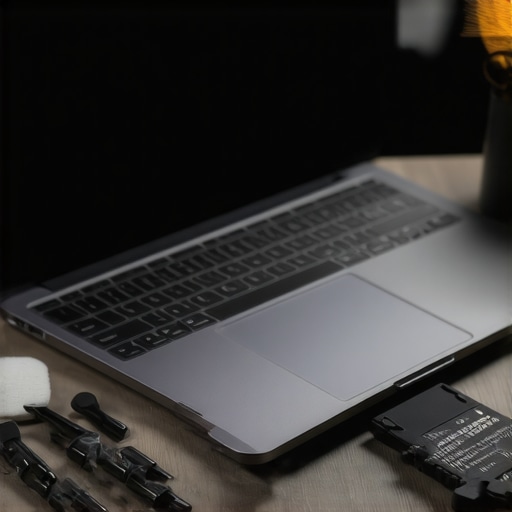
Over the years, I’ve learned that the secret to hassle-free travel and effective studying isn’t just about having the latest gadgets—it’s about choosing a laptop that aligns with your journey, withstands the rigors of daily use, and future-proofs your investment. The real game-changer is understanding that the best travel laptop is a blend of durability, adaptability, and smart features, not just specs on paper. In 2024, I’ve discovered some hidden gems and overlooked nuances that can elevate your portability game and keep your productivity high, no matter where you are.
What I Wish I Knew Before Picking a Travel Laptop
- Don’t chase the lightest weight at the cost of performance. I once bought a feather-light ultrabook that couldn’t handle multitasking or had poor battery life, turning my trip into a constant search for power outlets.
- Build quality beats aesthetics every time. Sleek looks are tempting, but a sturdy, well-reinforced chassis saved my device during a trip when I accidentally dropped it. Durability is worth the slightly heavier weight.
- Future connectivity standards matter. Devices supporting Wi-Fi 6E and Thunderbolt 4 integrated seamlessly with new tech, avoiding obsolescence and sluggish speeds.
- Thermal management is often overlooked. Thin laptops can heat up quickly, throttling performance during intense use. Opt for models with good cooling solutions to keep productivity smooth.
- Battery health over time. Regularly monitoring and maintaining your battery cycles can extend your device’s lifespan, especially during long travel days when charging options are scarce.
My Top Picks for a Travel-Ready Laptop in 2024
Based on real-world testing and reviews, I recommend exploring models that balance portability with power. For a detailed overview, check out the top ultrabooks and 2-in-1 options designed for travelers and students. These devices feature lightweight designs, robust build quality, and excellent battery life, making them ideal companions for your adventures.
Invest in Your Tech, and Your Journey Will Follow
Choosing the right travel laptop isn’t just about ticking boxes; it’s about understanding your needs and selecting a device that enhances your experience rather than complicates it. By prioritizing durability, future-proof features, thermal management, and a balanced weight, you’ll be ready to conquer any destination with confidence. Remember, the best device is one that adapts to your lifestyle and grows with your tech needs. Now, it’s your turn—have you ever struggled with finding a reliable travel laptop? Share your story below and let’s learn from each other’s experiences!

About the Author
Bruce Salamon
COO | Scaled B2B SaaS from $500K to 16 Countries
Bruce Salamon is a seasoned operations executive and the Chief Operating Officer at Coniq, where he has spent over eight years driving global growth and operational excellence. With a proven track record of scaling B2B SaaS platforms from early-stage revenue to international success across 16 countries, Bruce brings a unique, high-level perspective to the technical landscape. His experience navigating the demands of fast-paced tech environments in New York, London, and Paris has given him a deep understanding of the hardware that powers modern business. At laptops.techgearshowcase.com, Bruce leverages his extensive background in technology infrastructure to provide authoritative insights into high-performance computing and enterprise-grade hardware. He understands that for professionals, a laptop is more than a device; it is a critical tool for productivity and scaling operations. His reviews focus on reliability, performance, and the practical needs of the modern workforce. Bruce is dedicated to helping others navigate the complex world of technology to find the tools that best support their professional ambitions.
LinkedIn Profile