
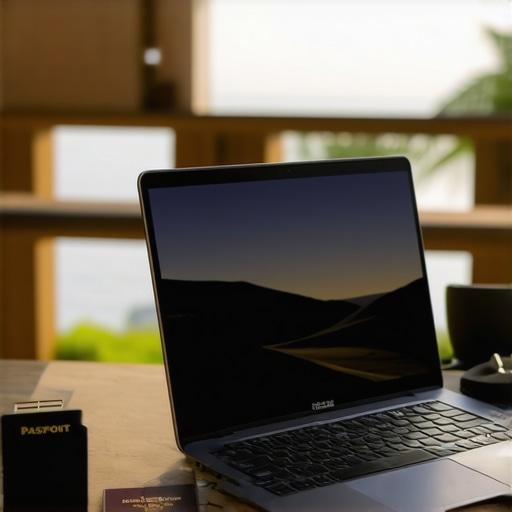
I remember the exact moment I realized my laptop was holding me back during a trip. It was late at night, and I was struggling to get work done on a bulky, clunky device that barely fit in my backpack. That lightbulb moment made me rethink everything about portable tech. I needed something that was powerful enough for my projects but light and flexible enough to carry everywhere. Since then, I’ve been on a mission to find the best 2-in-1 laptops and ultrabooks that can truly keep up with my busy travel schedule and demanding workload.
Why the right 2-in-1 Laptop Can Change Your Travel Game
Choosing the right device isn’t just about specs or brand names; it’s about finding a tool that adapts to your lifestyle. Whether you’re a student, a professional constantly on the go, or someone who simply hates lugging around heavy gear, a versatile 2-in-1 or ultrabook can be a game-changer. These devices combine the portability of a tablet with the power of a laptop—perfect for working on the train, presenting in a coffee shop, or relaxing at the airport lounge.
But here’s the kicker: not all 2-in-1s are created equal. Some tend to compromise on performance or battery life, and others can be surprisingly fragile. I’ve made my share of mistakes early on, like choosing a device that looked good but couldn’t handle a full day of work or didn’t have the connectivity features I needed. That experience taught me the importance of doing thorough research. It’s not just about finding a lightweight device; it’s about finding one that’s reliable, powerful, and seamless to use — especially when you’re miles away from your desk.
According to a recent study, over 60% of remote workers prefer ultrabooks and convertibles for their portability and efficiency, but many still struggle with finding the perfect fit. That’s why I’ve compiled this guide: to help you avoid the pitfalls I faced and to show you exactly what to look for in a 2024 model. If you’ve ever felt overwhelmed by the countless options or worried about sacrificing performance for portability, don’t worry — I’ve got you covered.
Does the hype around 2-in-1 laptops actually hold up?
When I first started exploring these devices, I was skeptical. I thought, “Can a device this slim really handle my workload?” My early mistake was underestimating the importance of specs and build quality. I bought a budget option that looked sleek but couldn’t handle multitasking or long hours. Turns out, not all convertibles are created equal. For a device to truly support your productivity, it needs a good balance of power, battery life, and durability. To get the best insights, I recommend checking out the ultimate guide to business laptops and ultrabooks for 2024.
So, are 2-in-1s worth the hype? Absolutely — but only if you pick the right one. Ready to discover the top models for 2024 and how to choose the perfect device for your needs? Let’s dive in and find your ideal travel companion.
Set Clear Priorities for Your Device
Before jumping into specific models, define what matters most for your travel and productivity needs. Do you need maximum battery life, a lightweight design, or powerful specs for multitasking? I once tried to save weight by choosing a super-light ultrabook, but it lacked ports I needed, causing delays. Clarify your essentials before browsing options, and use this ultimate guide to business laptops and ultrabooks for 2024 to align your priorities with the best models.
Compare Specs Like a Pro
Don’t rely solely on marketing claims. Focus on key specs: CPU performance, RAM, storage, display quality, and battery capacity. I recommend creating a comparison chart to visualize differences. For example, during my last purchase, I listed 5 models and rated them on each criterion. This hands-on approach simplified decision-making and avoided regrets. Check out the best ultraboost and 2-in-1 laptops for 2024 for detailed specs on top contenders.
Test Portability and Durability
Handling a device physically reveals more than specs. I once ordered a sleek 2-in-1, only to find it fragile when I accidentally dropped it at the airport. Now, I prefer models with MIL-STD durability ratings or reinforced hinges. If possible, visit a store to hold and test different devices. This step can save you from surprises and ensure your laptop withstands travel bumps. For curated options, explore the top 2-in-1 laptops for school, travel, and work success in 2024.
Check Connectivity and Accessories
Reliable ports and wireless options are crucial. I once bought a model with only USB-C ports, which caused inconvenience on the road. Carrying adapters was a hassle, and I missed quick connections. Prioritize devices with Thunderbolt, HDMI, and USB-A ports if you frequently connect peripherals. Also, ensure Wi-Fi and Bluetooth support the latest standards for seamless online work. Consider carrying a portable hub or dock, which can turn one port into many. For top picks, see the top 2-in-1 convertibles for travel and business in 2024.
Test Software Compatibility and Performance
Lastly, don’t forget software needs. I once purchased a powerful machine that struggled with my essential apps due to compatibility issues. Before finalizing, check if your critical software runs smoothly on your shortlisted models. Reading reviews and user feedback helps identify potential performance bottlenecks. Also, consider a device with SSD storage for faster boot times and data access, especially when working remotely on tight schedules. For comprehensive insights, visit the best laptops for work, school, and travel in 2024.
Many people assume that selecting a 2-in-1 laptop for travel is straightforward, but there are some sneaky pitfalls that can undermine your experience. One of the most widespread misconceptions is that the latest flashy specs automatically mean the best device for your needs. In reality, overemphasizing raw power often leads to overlooking crucial factors like build quality, battery longevity, and port selection, which are essential for travel. For instance, a high-performance CPU won’t matter much if the device’s chassis isn’t durable or if it lacks enough ports for your peripherals. I’ve seen many travelers buy ultrabooks with impressive specs only to find them fragile or incompatible with their workflow. Always balance power with practicality.
Another common mistake is focusing solely on weight and size without considering the device’s resilience. Many assume that a slim profile equates to durability, but thin devices can be surprisingly fragile—especially if they lack MIL-STD certifications or reinforced hinges. I once carried a sleek ultrabook that looked perfect until a minor drop cracked the screen. This experience taught me to prioritize models with proven durability, even if they’re slightly heavier. To avoid this trap, check for rugged ratings or visit stores to test the device’s build quality firsthand. You can find durable options in our top 2-in-1 laptops for travel and business in 2024.
How do I ensure software compatibility on a new device?
This question trips up many advanced users who rely on specific applications. Even with powerful hardware, software incompatibility can cause major delays or data loss. My advice is to research your essential apps’ system requirements and consult user reviews before making a purchase. Sometimes, a device with a cutting-edge processor may still struggle with legacy software or specialized tools. SSD storage helps mitigate performance issues, but overall, testing your critical software on new models can save you from costly surprises. Additionally, consider the operating system’s ecosystem—Windows, macOS, or Chrome OS—as compatibility varies. For tailored recommendations, explore our best laptops for work, school, and travel in 2024.
Have you ever fallen into this trap? Let me know in the comments. Being aware of these nuanced pitfalls can make a significant difference in your travel tech experience, ensuring your device supports your ambitions rather than hinders them. Remember, the right 2-in-1 isn’t just about specs; it’s about how well it fits into your unique workflow and environment.
Once you’ve invested in a high-quality 2-in-1 or ultrabook for travel, maintaining its performance becomes crucial to ensure it serves you well over years of frequent use. In my experience, a few dedicated tools and routines can dramatically extend the lifespan of your device, prevent unexpected failures, and keep it running smoothly no matter how often you hit the road.
How do I maintain my travel laptop over time?
Regular software updates are the backbone of device longevity. I make it a habit to check for updates weekly, especially for the operating system, drivers, and critical applications. This practice not only patches security vulnerabilities but also optimizes hardware performance. For example, keeping your graphics and chipset drivers current ensures smooth multitasking and prevents compatibility issues with travel peripherals.
Beyond software, hardware maintenance is equally vital. I recommend investing in a quality cleaning kit, including compressed air, microfiber cloths, and screen cleaners. Dust buildup can cause overheating, especially when your device is used in diverse environments like airplanes or coffee shops. I clean my device every month, paying special attention to vents and ports, which helps prevent overheating and connection problems.
One of my favorite tools is a portable SSD for backups. I use it to automatically sync critical files daily. This ensures that even if my device encounters a hardware failure, my data remains safe and accessible. You can set up automatic backups using software like Macrium Reflect or EaseUS Todo Backup, which I personally rely on for peace of mind.
Battery health management is another aspect I focus on. Lithium-ion batteries degrade over time, especially when kept at 100% charge constantly. I use built-in battery health features—many ultrabooks have this—and avoid leaving my device plugged in constantly. Occasionally, I let the battery drain to around 20% before recharging, which helps prolong its capacity. Additionally, I keep a portable power bank handy, so I can top up my device without searching for outlets in unfamiliar places.
Future trends in maintenance tools
Looking ahead, I believe AI-powered diagnostic tools will become more integrated into laptops, providing real-time health assessments and maintenance tips. Companies are already experimenting with smart firmware updates that optimize hardware automatically based on usage patterns. This evolution will make upkeep even more seamless, especially for frequent travelers who need reliability without the hassle of manual troubleshooting.
To stay ahead, I suggest trying advanced monitoring tools like the ultimate guide to business laptops and ultrabooks for 2024. These resources include recommendations for software that can alert you before issues become critical, helping you schedule maintenance proactively.
Start incorporating routine checks and using these tools today — your device will thank you with consistent performance and longevity. Remember, a well-maintained laptop isn’t just a tool; it’s a reliable travel companion that adapts seamlessly to your dynamic lifestyle.
Lessons from the Front Lines of Travel Tech
One of the most surprising lessons I learned was that a device’s durability often outweighs its sleekness. I once sacrificed rugged build quality for a thinner profile, only to find my ultrabook cracked after a minor drop during a layover. That taught me to prioritize devices with reinforced hinges and MIL-STD ratings, even if they add a bit of weight. Additionally, I realized that software compatibility can be a hidden trap—powerful hardware means little if your critical apps won’t run smoothly. Testing your essential software before buying can save countless headaches on the road.
Another lightbulb moment came from understanding that ports matter more than I initially thought. Relying solely on USB-C and Thunderbolt without considering the need for traditional USB-A or HDMI ports can turn into a real inconvenience, forcing me to carry adapters everywhere. Finally, I learned that investing in routine maintenance and backups can dramatically extend your device’s lifespan. Regular updates, cleaning, and using tools like portable SSDs keep my laptop running smoothly despite frequent travel.
My Top Picks for Your Travel Arsenal
For those serious about making the most of their travel tech, I recommend exploring the ultimate guide to business laptops and ultrabooks for 2024. It offers insights into the most reliable, high-performing devices tailored for a mobile lifestyle. Additionally, check out top ultraboost and 2-in-1 laptops for 2024 for curated selections that balance power and portability. These resources have helped me avoid costly mistakes and find devices that truly support my busy travel schedule.
Your Next Step Toward Seamless Mobility
Embrace the challenge of selecting the perfect travel companion by focusing on what truly matters—durability, compatibility, and ease of maintenance. The right 2-in-1 laptop can transform how you work and relax on the go, making travel less stressful and more productive. Don’t wait for the perfect moment—start exploring today, and turn your device into a trusted partner for every journey.
What’s been your biggest challenge when choosing a travel-friendly laptop? Share your experiences below and let’s learn together!

About the Author
Bruce Salamon
COO | Scaled B2B SaaS from $500K to 16 Countries
Bruce Salamon is a seasoned operations executive and the Chief Operating Officer at Coniq, where he has spent over eight years driving global growth and operational excellence. With a proven track record of scaling B2B SaaS platforms from early-stage revenue to international success across 16 countries, Bruce brings a unique, high-level perspective to the technical landscape. His experience navigating the demands of fast-paced tech environments in New York, London, and Paris has given him a deep understanding of the hardware that powers modern business. At laptops.techgearshowcase.com, Bruce leverages his extensive background in technology infrastructure to provide authoritative insights into high-performance computing and enterprise-grade hardware. He understands that for professionals, a laptop is more than a device; it is a critical tool for productivity and scaling operations. His reviews focus on reliability, performance, and the practical needs of the modern workforce. Bruce is dedicated to helping others navigate the complex world of technology to find the tools that best support their professional ambitions.
LinkedIn Profile