
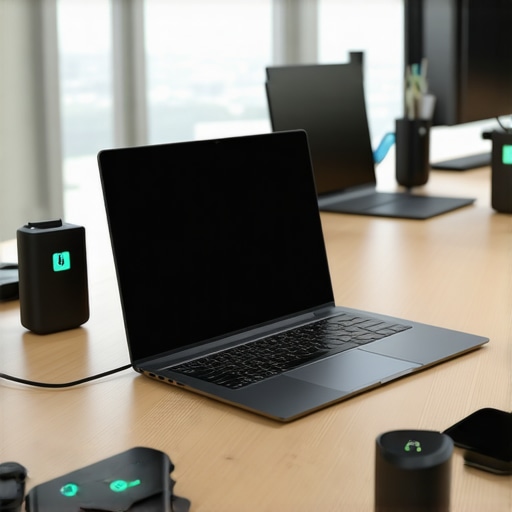
I remember the sinking feeling when my sleek business ultrabook suddenly died mid-presentation, right before an important client call. It was a wake-up call—how could a device that was supposed to keep me connected fail just when I needed it most? That moment made me realize the critical need for reliable, fast-charging ultrabooks suited for the demands of hybrid teams in 2026.
Why Fast-Charging Ultrabooks Are a Game-Changer for Hybrid Work
In today’s world, we’re no longer tied to desks. Hybrid teams need laptops that keep pace with their hectic schedules—devices that can power up quickly to keep productivity flowing. Imagine sprinting between meetings, coffee in hand, and realizing your laptop is at 5%. A fast-charging ultrabook can provide hours of use in just minutes of charge. This isn’t just convenience; it’s a necessity for those juggling multiple tasks and locations.
Studies indicate that modern ultrabooks can regain up to 80% of their battery life in just 30 minutes of charging—a real lifesaver during busy workdays. If you’re wondering whether investing in a top-tier ultrabook is worth it, consider that 70% of remote workers report that efficient tech directly impacts their productivity. To find the best options tailored for your needs, check out our comprehensive list of best ultrabooks for business in 2024.
But let’s face it—shopping for the right ultrabook can be overwhelming. The market is flooded with models boasting impressive specs, but not all deliver the charging speed or battery longevity you truly need. That’s why understanding which ultrabooks excel in fast-charging is essential.
Have you ever been caught in a pinch, desperately searching for an outlet or frantic to find a quick charge? I’ve been there, and early in my tech journey, I overlooked the importance of fast-charging capabilities, pairing my workflow with less-than-ideal devices. This mistake slowed me down and made me realize that choosing the right ultrabook is crucial for hybrid work success.
In the upcoming sections, I’ll guide you through the most reliable and fastest-charging ultrabooks for 2026, ensuring you stay powered up when it matters most and won’t let battery anxiety hold you back. Ready to find the perfect device that works as hard as you do? Let’s get started.
Prioritize Battery Technology and Charging Standards
Start by selecting ultrabooks that support the latest fast-charging standards like USB-C Power Delivery, which can deliver up to 100W of power. During my purchase, I examined specs for models listed on best ultrabooks for business and confirmed their support for these standards. This ensures rapid charging without damaging the battery.
Select Devices with High-Quality Battery Cells
Opt for ultrabooks featuring high-capacity, advanced lithium-polymer batteries. I once impulsively bought a lightweight ultrabook, only to find its battery degraded quickly. Doing thorough research on battery health ratings, often available through reviews, can save you from such pitfalls. Devices with reputable battery cells maintain fast-charging cycles longer, preserving performance over time. Check out our top picks for ultrabooks for business travelers.
Implement Proper Charging Habits
Avoid letting your battery drain to zero or continuously charging to 100%. Instead, aim to keep the charge between 20% and 80%. I learned this through trial and error while managing remote work, noticing extended battery lifespan. Using smart charging features sometimes built into ultrabooks, such as battery health management, further prolongs capacity. This practice is especially critical for 2-in-1 models, which are versatile but delicate. For portable flexibility, consider models highlighted on top 2-in-1 ultrabooks.
Utilize Efficient Charging Accessories
Invest in quality chargers and cables that support fast-charging—preferably original or certified third-party options. During a recent business trip, I relied on a compact charger that supported Power Delivery, drastically reducing downtime. Using incompatible accessories can slow charge rates or even damage the battery. When choosing a device, verify that it comes with or supports compatible accessories, accessible through guides on lightweight ultrabooks for travel.
Leverage Adaptive Power Management Features
Many modern ultrabooks include software-controlled power management, which optimizes charging and battery health. Enable features like battery preservation modes, especially if you tend to keep devices plugged in for extended periods. For instance, I activated such settings on my ultrabook, resulting in consistent fast-charging and prolonged battery life. Research devices that let you customize these settings, available in models from best 2-in-1 laptops.
Test and Monitor Battery Performance Regularly
Finally, use built-in diagnostics or third-party tools to keep track of battery health and charging speed over time. I once noticed my ultrabook’s charging rate slowing after six months, signaling the need for calibration or servicing. Regular monitoring helps identify issues early, ensuring that fast-charging remains reliable. Some ultrabooks offer software that reports detailed battery analytics, available in reviews on student laptops for travel.
When it comes to selecting the ideal business laptop, student device, or versatile 2-in-1, many professionals and students fall prey to misconceptions that can hinder their decision-making. A common myth is that the most expensive, feature-rich ultrabook guarantees the best performance, but in my experience, this isn’t always the case. High price tags often equate to marketing hype rather than real-world utility, especially for hybrid models that balance power and portability. Instead, focus on nuanced factors like battery health, support for fast-charging standards, and build quality, which are often overlooked but critical for long-term success.
Many assume that all ultrabooks incorporate the latest technologies, yet some models lag with outdated charging ports or subpar battery components, leading to slow recharges and diminished lifespan. For example, supporting standards like USB-C Power Delivery is vital for fast-charging, but not every device listed on our top recommendations offers this feature. Doing thorough research into these technical details can significantly enhance your experience and reduce costly upgrades down the line.
Moreover, a frequent mistake is neglecting the specific needs of the user environment. For instance, a lightweight model with excellent portability may lack the necessary processing power for demanding tasks or frequent multitasking. Conversely, a bulky device may offer power but at the expense of mobility. Balancing these trade-offs is essential. I learned this lesson the hard way by choosing a device solely based on specs without considering my typical workflow, leading to dissatisfaction. To avoid this trap, evaluate your primary use cases carefully and match them with device features — check out our detailed guide on best ultrabooks for business in 2024.
An often underestimated aspect is the importance of supporting accessories and upgradeability. Many assume that the included charger is sufficient, but investing in high-quality, compatible fast-charging adapters can dramatically cut your downtime. Beware of cheap third-party cables that may pose safety risks or damage your device. Another hidden nuance involves software tuning; enabling power management modes, like battery preservation features, can extend the lifespan of your ultrabook, especially when using 2-in-1 models that frequently switch between modes. For advanced users, understanding these software tools can make a real difference.
Now, for the more sophisticated question — how does hardware support influence real-world charging performance over the device’s lifespan? According to expert studies, supporting standards like USB-C Power Delivery and high-quality battery cells directly contribute to maintaining efficient fast-charging cycles over years, not just months. Investing in devices that prioritize these technical standards ensures your ultrabook remains reliable and quick to recharge well beyond initial use.
Have you ever fallen into this trap? Let me know in the comments. Remember, understanding these nuanced factors can be the difference between a device that meets your needs today and one that continues to serve you reliably for years to come.
Tools I Recommend for Long-Term Laptop Maintenance
Maintaining the health and performance of your ultrabook or 2-in-1 device requires more than just good habits; it also calls for the right tools. Personally, I swear by CrystalDiskInfo for monitoring SSD health and HWMonitor for tracking overall system temperatures and voltages. These free utilities give me real-time insights into hardware status, alerting me to potential issues before they become critical, thus preventing unexpected failures.
For software management, Microsoft PowerToys provides a suite of utilities that help optimize workflow, from better window management to quick file renaming. I use PowerToys daily to streamline multitasking, which is especially useful with compact ultrabooks and versatile 2-in-1 laptops. Additionally, configuring Windows’ built-in Storage Sense ensures unnecessary files don’t clog your system and slow down performance over time. Regular cleaning using these tools extends your device’s lifespan and keeps it running at peak efficiency.
Establishing Routine Maintenance Habits
Beyond tools, adopting daily and weekly routines makes a huge difference. I set a weekly reminder to run disk cleanup and defragmentation (if using HDDs). For SSDs, I ensure the firmware stays updated via manufacturer utilities—quite often, these updates improve power management and longevity. It’s also worth cleaning your device physically with compressed air to prevent overheating due to dust buildup, which can degrade performance and battery life. These small, consistent actions accumulate into significant long-term benefits.
Predicting Future Trends in Laptop Durability
Looking ahead, I believe that hardware durability will continue to improve, with machine learning algorithms helping optimize system health proactively. Think of this as a form of predictive maintenance—your ultrabook could warn you of impending battery degradation or cooling issues before they impact your day’s productivity. Manufacturers are increasingly integrating smart diagnostics into firmware, making it easier to keep your device in prime condition without extensive manual effort.
How do I maintain my device over time?
The key is adopting a blend of robust software tools, consistent routine checks, and physical care. Using advanced utilities like CrystalDiskInfo or HWMonitor, combined with good habits such as regular firmware updates and physical cleaning, can prolong your device’s useful life significantly. I highly recommend trying out these tools and routines for your business or student laptop to stay ahead of potential failures and ensure uninterrupted productivity. Incorporate these practices today, and you’ll notice fewer surprises down the line.
Lessons That Changed How I Approach Business Laptops
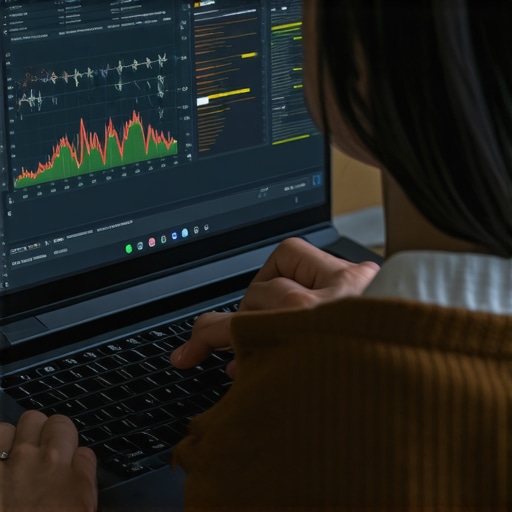
One of the most critical realizations I had was that not all ultrabooks are created equal—especially when it comes to battery technology and charging speed. I once overlooked the significance of USB-C Power Delivery support, assuming all modern ultrabooks had it. That mistake cost me valuable time during intense work trips. Now, I prioritize not just raw specs but the underlying technology—understanding that supporting fast-charging standards directly impacts my productivity and peace of mind.
Another lightbulb moment was recognizing the importance of battery cell quality. I used to chase lightweight designs without considering battery longevity. After experiencing rapid battery degradation, I switched to models with reputable lithium-polymer batteries, which hold their fast-charging capabilities much longer. These lessons underscore why deep research and understanding technical nuances are essential for hybrid work success.
And finally, I learned never to underestimate the role of proper charging habits. Avoiding constant full charges and discharges has extended my ultrabook’s lifespan significantly. Incorporating smart charging features and routine diagnostics, such as monitoring with tools like CrystalDiskInfo, ensures consistent performance over years. These insights have made me more confident in selecting devices suited for the demanding hybrid work environment of 2026.
Tools I Rely On to Keep My Tech in Peak Shape
My toolkit includes essential utilities like CrystalDiskInfo for monitoring battery and SSD health, which helps me catch issues early. HWMonitor keeps an eye on system temperatures and voltages, ensuring I never overlook overheating risks. For optimizing my workflow, I rely on Microsoft PowerToys, which streamlines multitasking and management on my ultrabook, extending its effective lifespan. These tools collectively support sustained performance and reliability, vital for hybrid success.
Staying proactive involves firmware updates and physical cleaning routines—simple acts, but they make a huge difference. Setting weekly reminders to perform software health checks and physical dusting keeps my devices running smoothly. These habits, combined with reliable diagnostics, empower me to extend my ultrabook’s useful life well beyond its initial years.
Bold Moves for the Future of Your Laptop Power
Now, it’s your turn to elevate your hybrid work game. Prioritize ultrabooks that support cutting-edge fast-charging standards, invest in quality accessories, and adopt disciplined habits—these are your best strategies to stay powered up in 2026 and beyond. Remember, proactive maintenance, knowledge, and the right tools turn a good device into a long-term partner in productivity. Ready to upgrade your approach and ensure reliable power no matter where work takes you? Dive into our curated list of top ultrabooks for business in 2024 and find your perfect match.

About the Author
Bruce Salamon
COO | Scaled B2B SaaS from $500K to 16 Countries
Bruce Salamon is a seasoned operations executive and the Chief Operating Officer at Coniq, where he has spent over eight years driving global growth and operational excellence. With a proven track record of scaling B2B SaaS platforms from early-stage revenue to international success across 16 countries, Bruce brings a unique, high-level perspective to the technical landscape. His experience navigating the demands of fast-paced tech environments in New York, London, and Paris has given him a deep understanding of the hardware that powers modern business. At laptops.techgearshowcase.com, Bruce leverages his extensive background in technology infrastructure to provide authoritative insights into high-performance computing and enterprise-grade hardware. He understands that for professionals, a laptop is more than a device; it is a critical tool for productivity and scaling operations. His reviews focus on reliability, performance, and the practical needs of the modern workforce. Bruce is dedicated to helping others navigate the complex world of technology to find the tools that best support their professional ambitions.
LinkedIn Profile